The Woyofal number and the code
- The Woyofal number (8 digits) is the one on your meter, next to the barcode, usually at the top. You give it to Kodo.
- The top-up code (20 digits) is what Kodo gives you after payment. You type it on your meter keypad.
This is not the contract number on your Senelec bill: for a bill, see « Pay my Senelec bill ».
Steps
-
On the Home screen, tap « Woyofal », then « Pay ».
-
Tell Kodo which meter: tap « Scan the meter » to read the number from a photo, choose a meter you already used, or tap « Manual entry ».
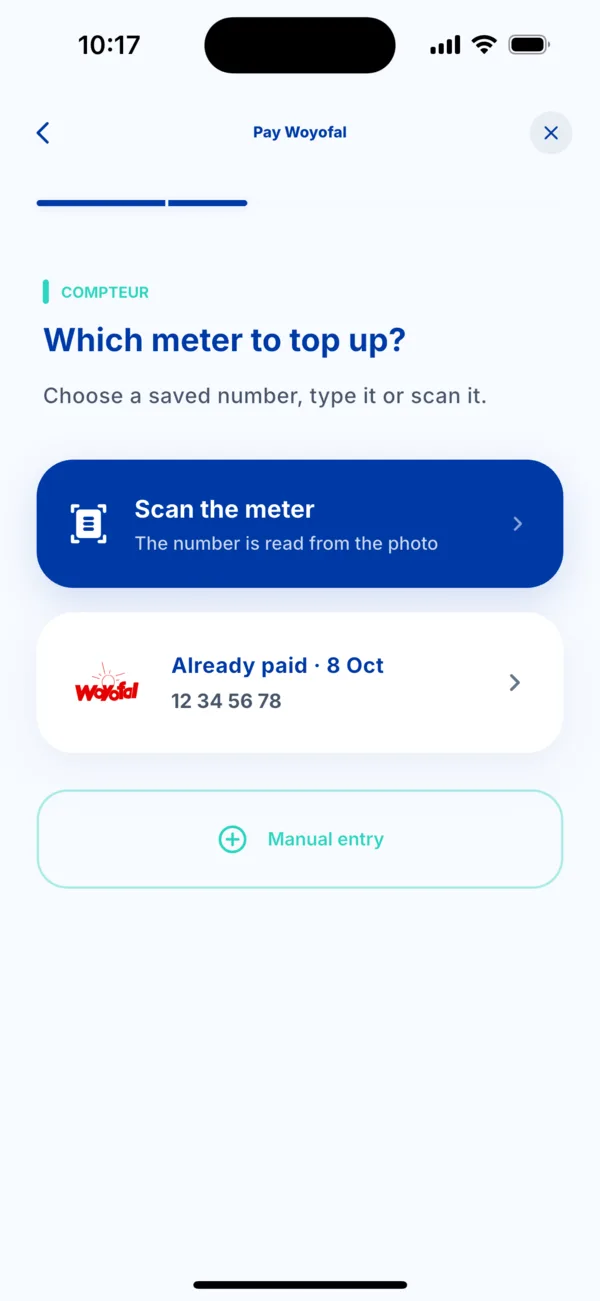 Choose the Woyofal meter
 -
Check the number. Type the 8 digits, confirm them, and give a reference name if you like (for example « Home »). Tap Continue.
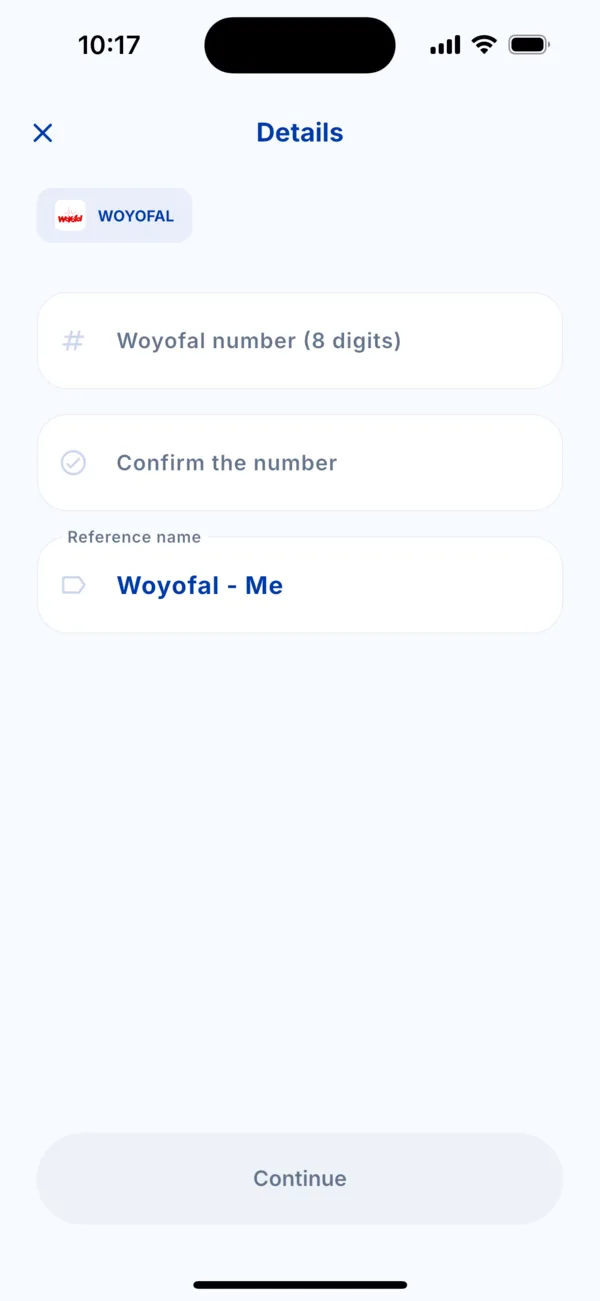 Enter and confirm the Woyofal number
 -
Choose the amount of the top-up.
-
Choose how to pay, check the summary, then tap Pay. Approve in your payment app.
-
Get your code. It appears as soon as the payment is confirmed, with a Copy the code button. Type it on your meter keypad, then confirm: the credit is added straight away.
If it doesn't work
- You lost the code: it stays in Activity. See « Find my Woyofal code ».
- The meter refuses the code: see « My Woyofal meter rejects the code ».
- The payment went through but no code arrives: do not pay a second time. See « I was charged but didn't receive my service ».