Steps
-
Choose a service on the Home screen: Woyofal, Senelec, Sen'Eau, Airtime, Internet or Bundles.
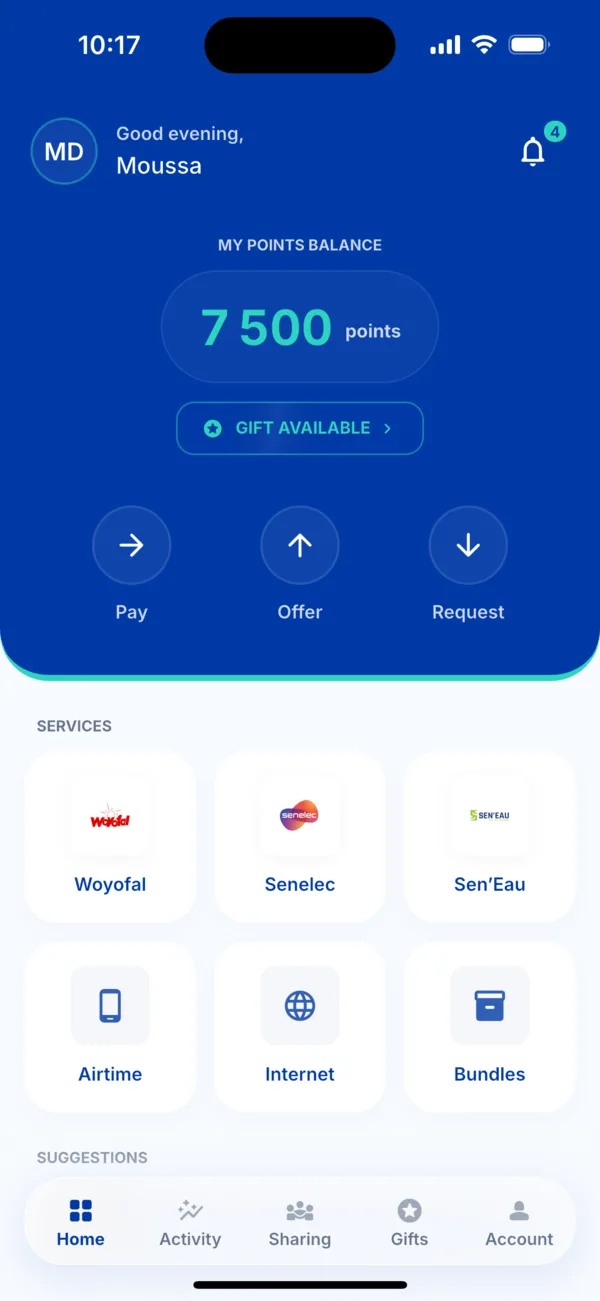 The services on the Home screen
 -
Tap « Pay » to pay for yourself. The other two choices are for gifting to a loved one or asking them to pay.
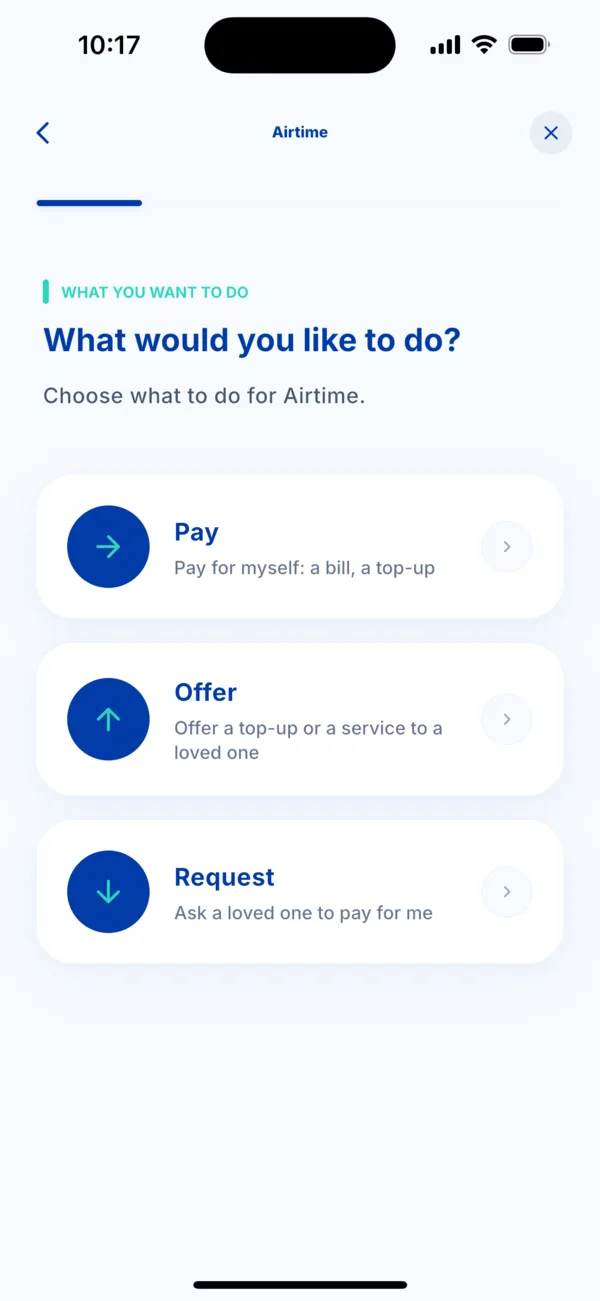 The three choices: Pay, Offer, Request
 -
Enter what you are paying: a number to top up, a meter, a bill. Choose a saved number, type it, or scan it with the camera. Then choose the offer or the amount.
-
Choose how to pay: Wave, Orange Money or Max it. If none is saved, tap « Add a wallet ».
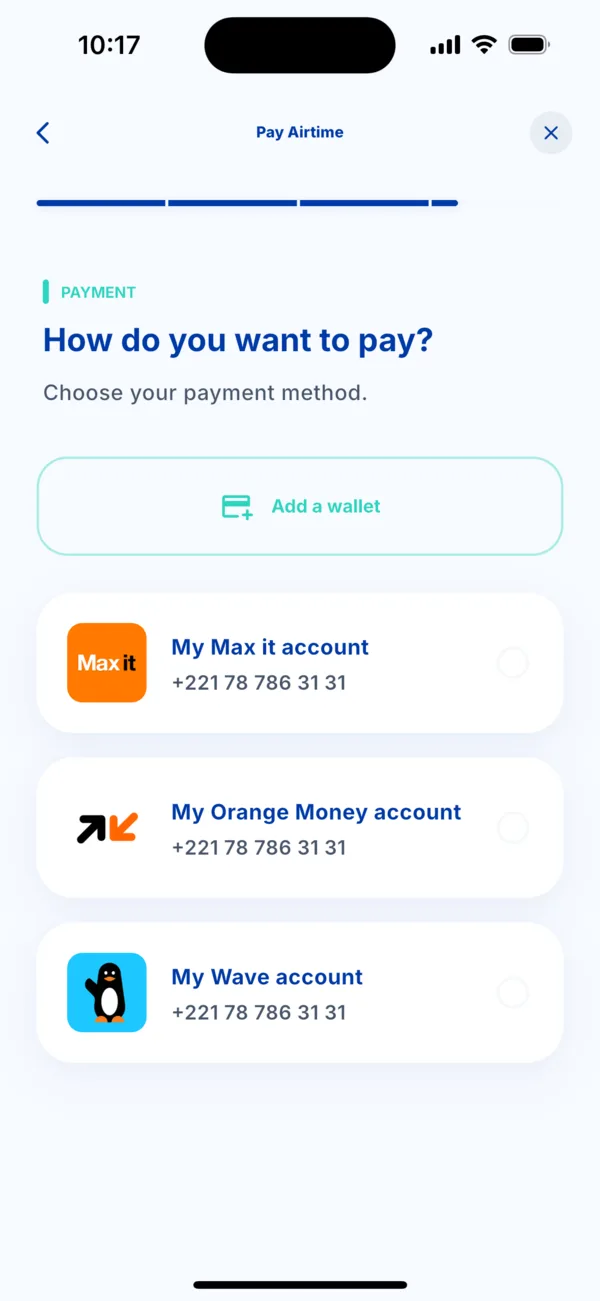 The « How do you want to pay? » screen
 -
Check the summary, then tap Pay. It shows the service, the number, the payment method, the total and the points you earn.
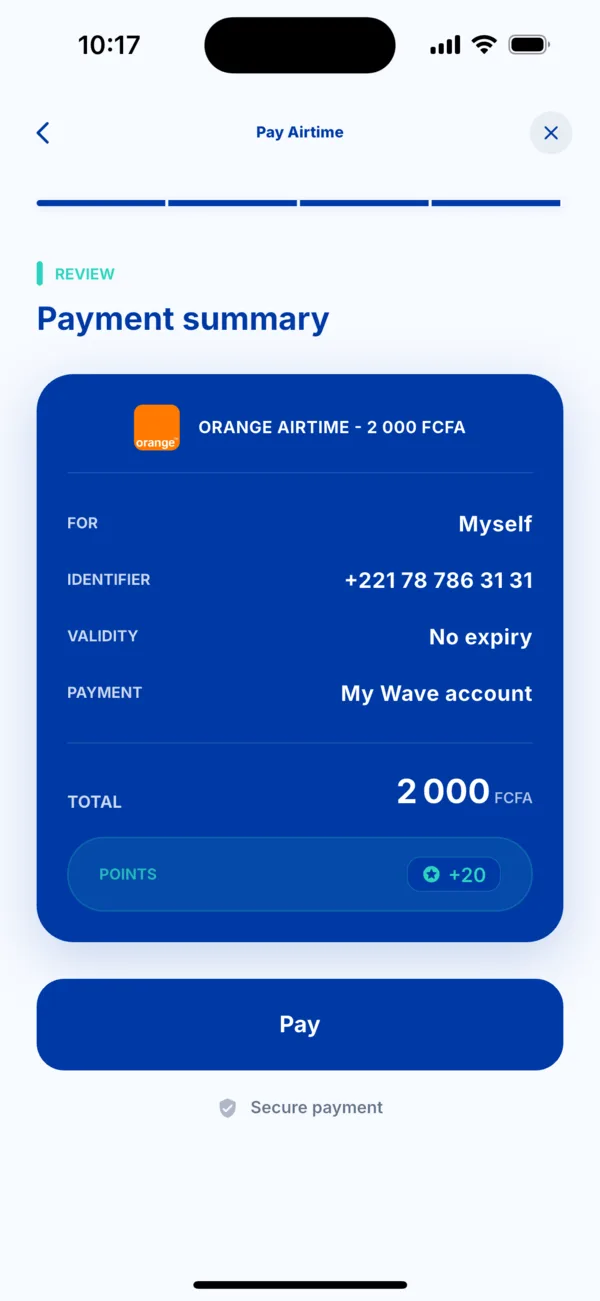 The payment summary
 -
Approve in your payment app, then come back to Kodo. A screen tells you as soon as the service is delivered. Your receipt is in the Activity tab.
If it doesn't work
- The payment is declined: nothing is charged. See « My payment is declined ».
- The payment is received but the service doesn't arrive: do not pay a second time. See « I was charged but didn't receive my service ».
- A number is not recognised: check it digit by digit.