What it is for
Discreet mode hides your balances and amounts on screen. Handy on public transport or when someone looks over your shoulder.
Steps
-
Open the Account tab, « Security » section.
-
Turn on the « Discreet mode » switch. The row says « Balances and amounts hidden ». When off: « Balances and amounts visible ».
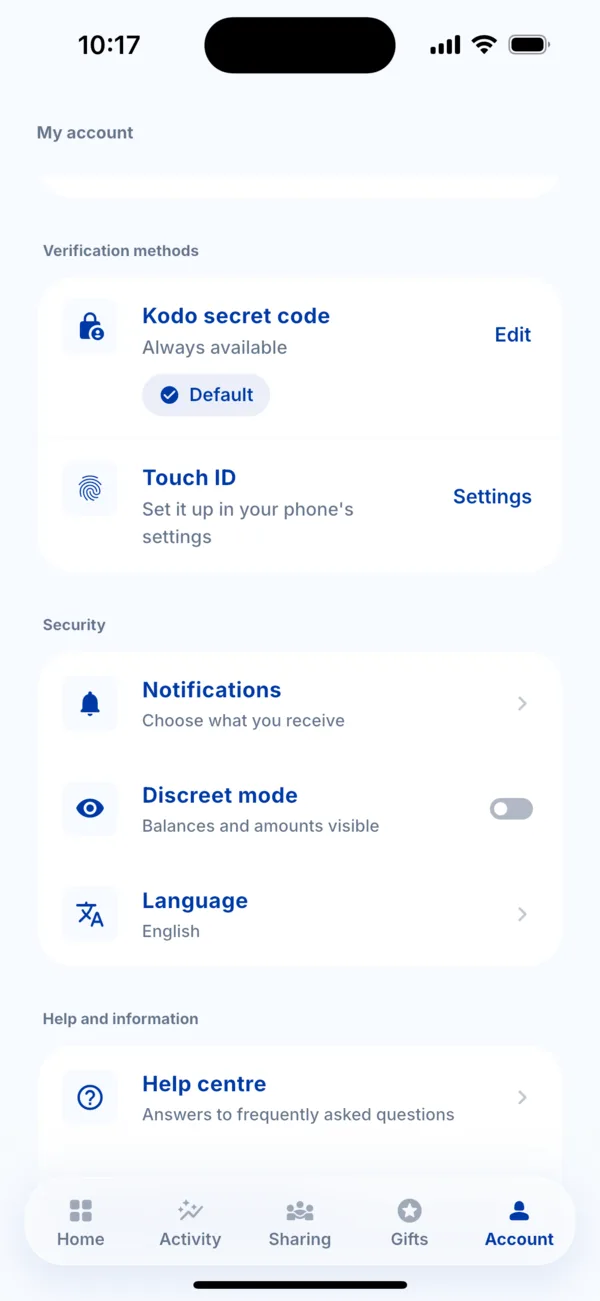 The Discreet mode switch in Account
 -
To see your amounts again, turn it off the same way.
Good to know
- Discreet mode changes nothing about your payments or points: only the display changes.
- It does not protect access to the app. For that, see « PIN, Face ID and fingerprint ».