The principle
When a loved one signs up with your link or your code and makes their first payment, you earn 50 points and so do they. The points are added when that first payment is delivered, not when their account is simply created.
Steps
-
Open the Account tab, then « Referrals ».
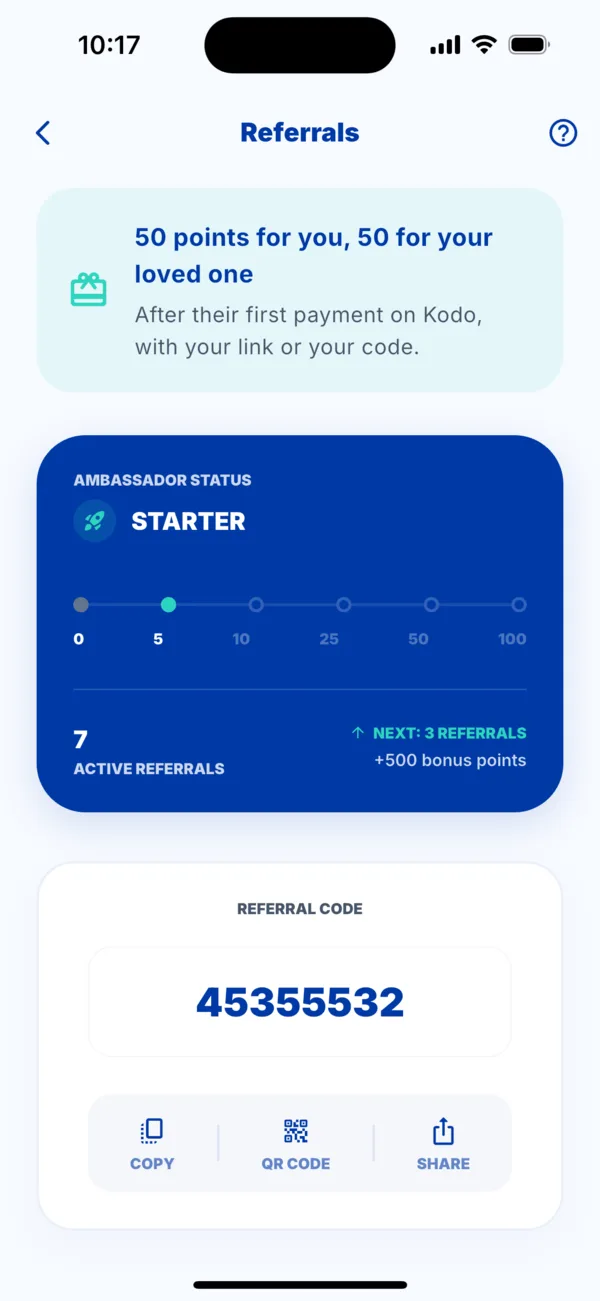 The Referrals screen
 -
Find your referral code (an 8-digit number), under « Referral code ».
-
Share it with Copy, QR code or Share (WhatsApp, SMS…). The message contains your link.
-
Your loved one signs up with your link, or enters your code in « Referral code (optional) » when creating the account.
-
They make their first payment (airtime, bill, Woyofal…). You each receive your points.
Good to know about the code
- It is entered before the first payment: afterwards, it is too late.
- You cannot use your own code.
- A code that does not exist gives « This referral code does not exist ».
While your loved one has not paid
The referral stays pending and is validated by itself as soon as they make their first payment. You can also invite them from the Sharing tab: see « My loved one doesn't have Kodo ».