Steps
-
Open the Sharing tab.
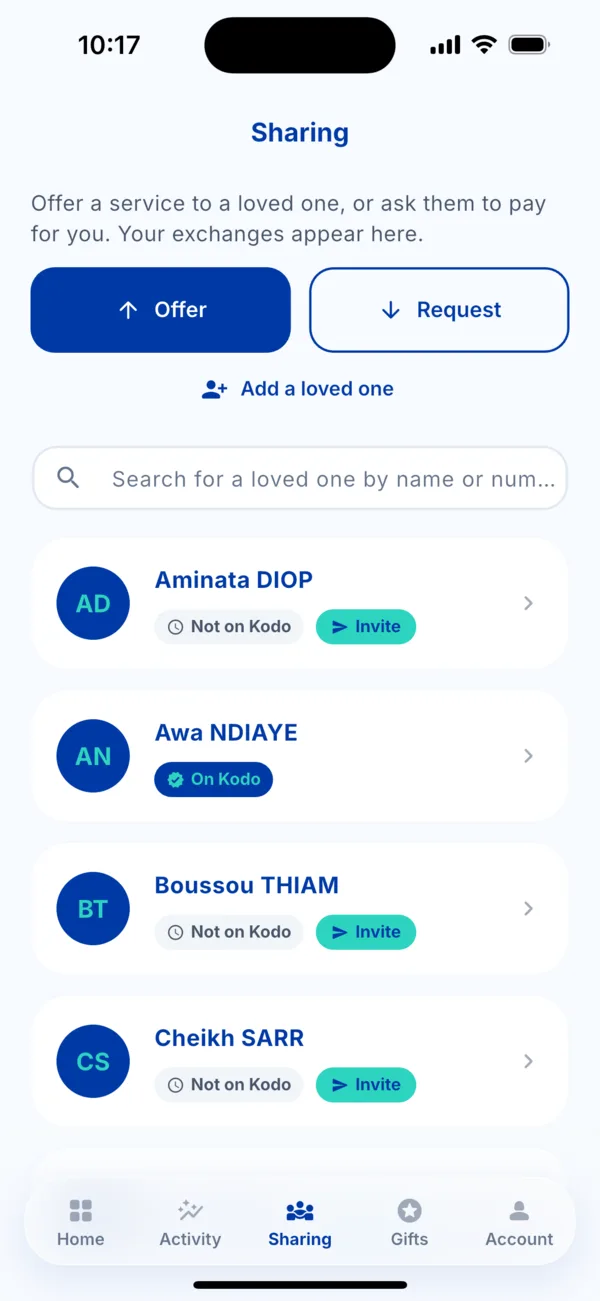 The Sharing tab
 -
Tap « Add a loved one ».
-
Fill in the form: first name, last name, country of residence, phone number, then the number again to confirm.
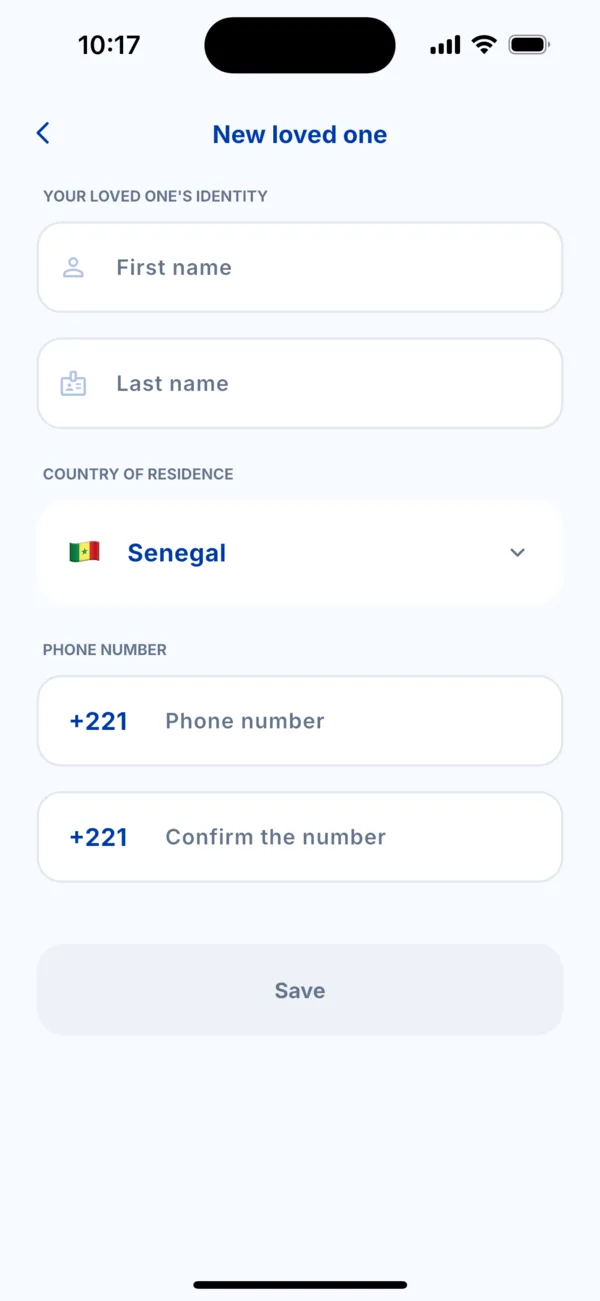 The « New loved one » form
 -
Tap « Save ». Your loved one appears in the Sharing list.
Save time with your contacts
If you allow access to your contacts, Kodo shows you those who are already on Kodo and lets you add the others in one tap. This is optional.
Edit or remove a loved one
Tap the loved one in the list: you can edit their name or remove them. Kodo asks you to confirm (« Remove this loved one? »).
If it doesn't work
- « This number is already in your loved ones »: it is already saved, look for it in the list.
- « A loved one with this first and last name already exists… »: add a middle name or a nickname to tell them apart.
- The loved one does not appear: check your connection and try again.