Steps
-
Open the Sharing tab and tap « Request ».
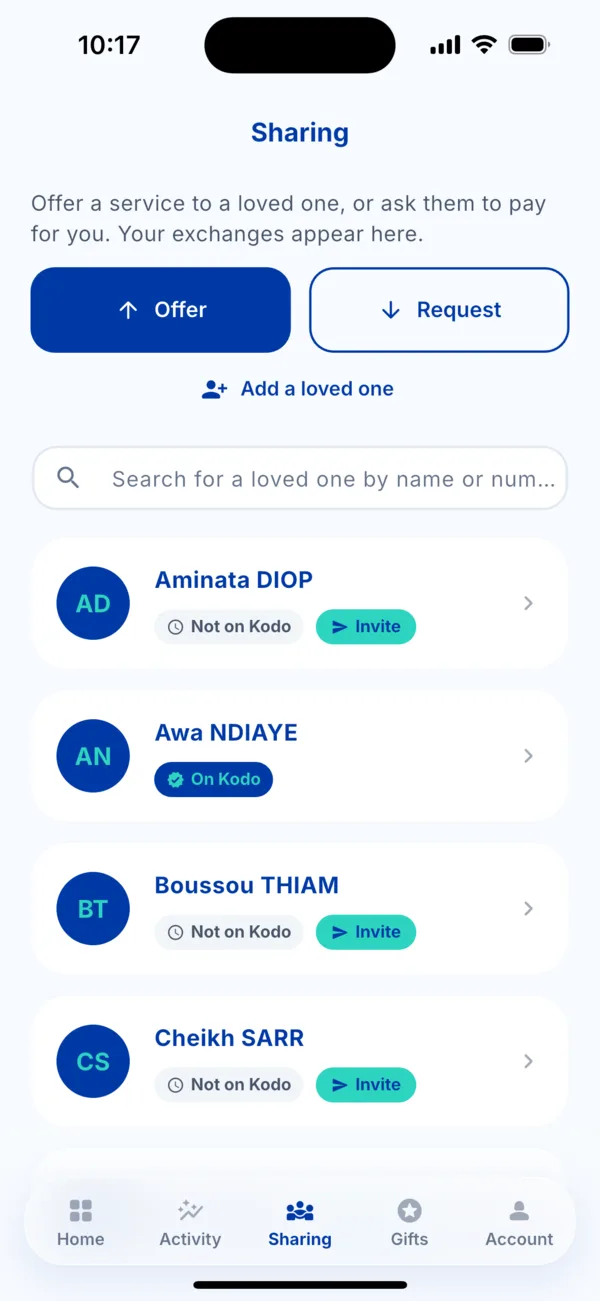 The Sharing tab
 -
Choose what you want paid (« What would you like to pay? »): a bill, airtime, a bundle, electricity.
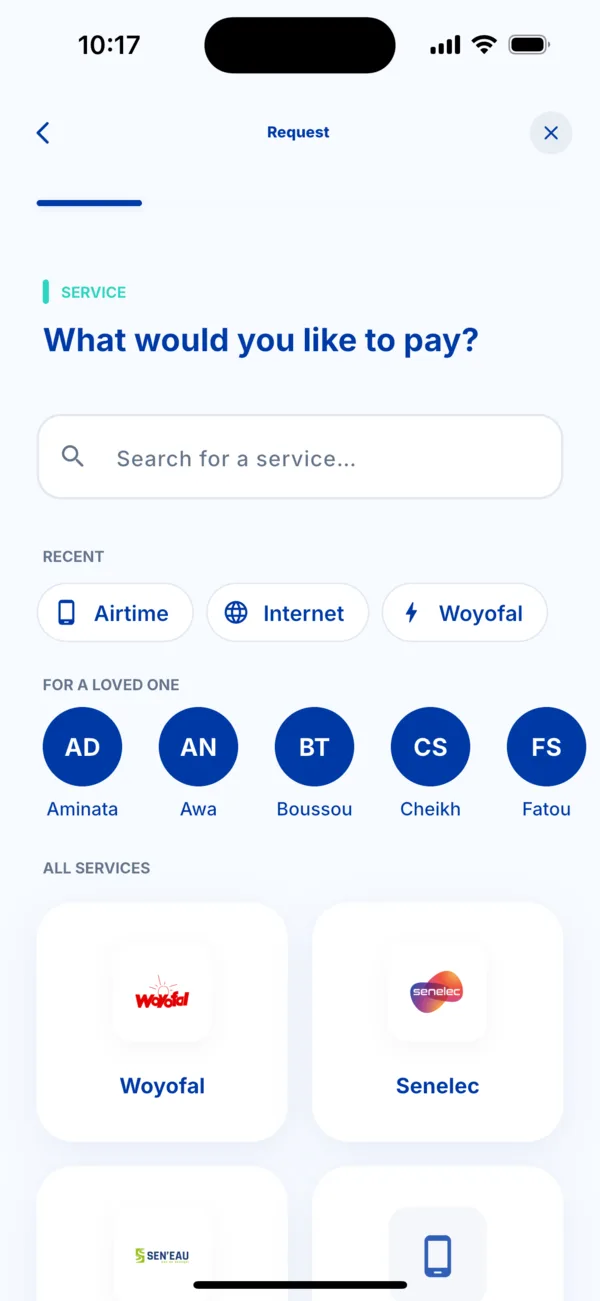 Choose the service to request
 -
Enter your number, meter or contract, then the offer or the amount.
-
Choose the loved one in « Who do you want to ask? ».
-
Send the request. Kodo confirms « Request sent ».
What happens next
Your loved one receives the request in their app. They can accept and pay, or decline. You are notified either way.
Follow the request in the Sharing tab: « Waiting for your reply », « Accepted », « Declined », « Expired » or « Cancelled ».
Cancel a request
Open the request in Sharing and tap « Cancel the request ».
If it doesn't work
- « This person is not on Kodo yet. Invite them first… »: invite them first. See « My loved one doesn't have Kodo ».
- Your loved one does not answer: remind them on WhatsApp. The request expires if it stays unanswered.