Add a Wave, Orange Money or Max it account
-
Open the Account tab, then Wallet.
-
Tap « Add a wallet ».
-
Choose your method: « Add my Wave account », « Add my Orange Money account » or « Add my Max it account ».
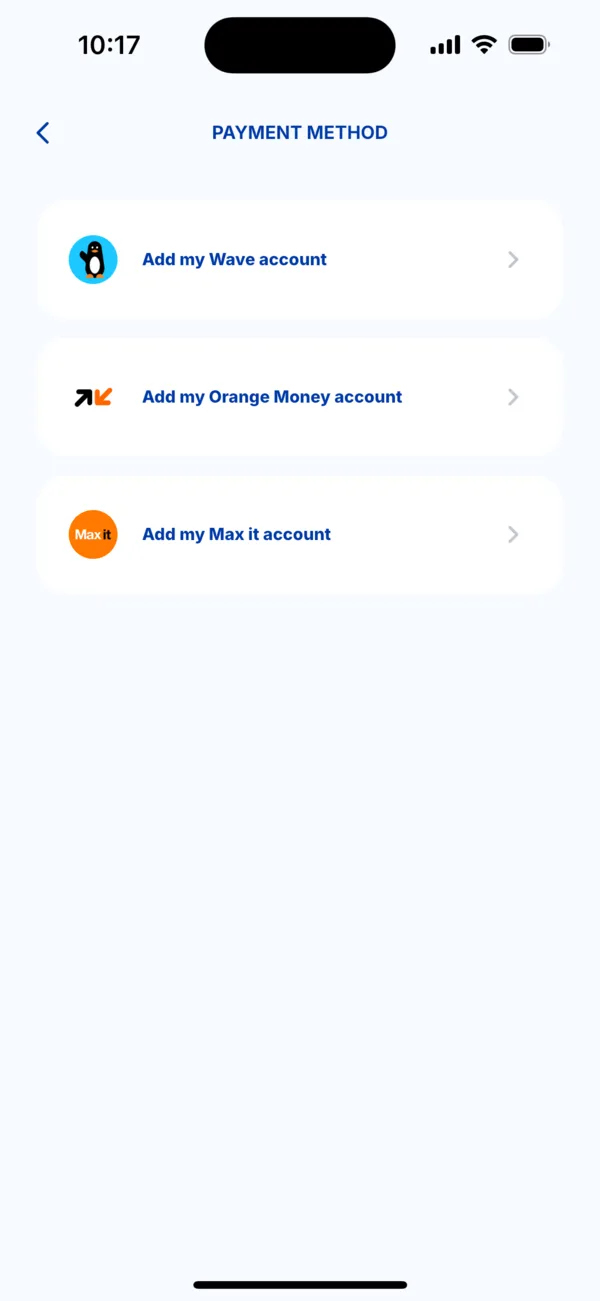 Choose the payment method to add
 -
Enter the details: the account's phone number, a second time to confirm, and a name to recognise it (for example « My main account »). Turn on « Set as default method » if you want it offered first.
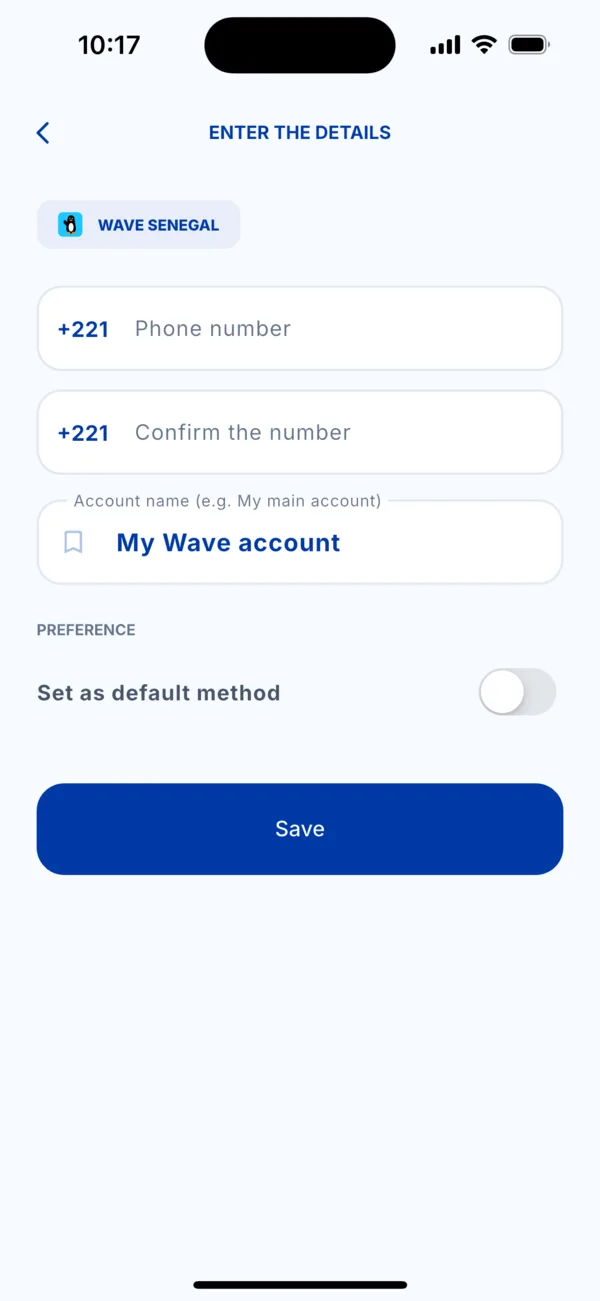 Enter the account details
 -
Tap « Save ». The account appears in the Wallet list.
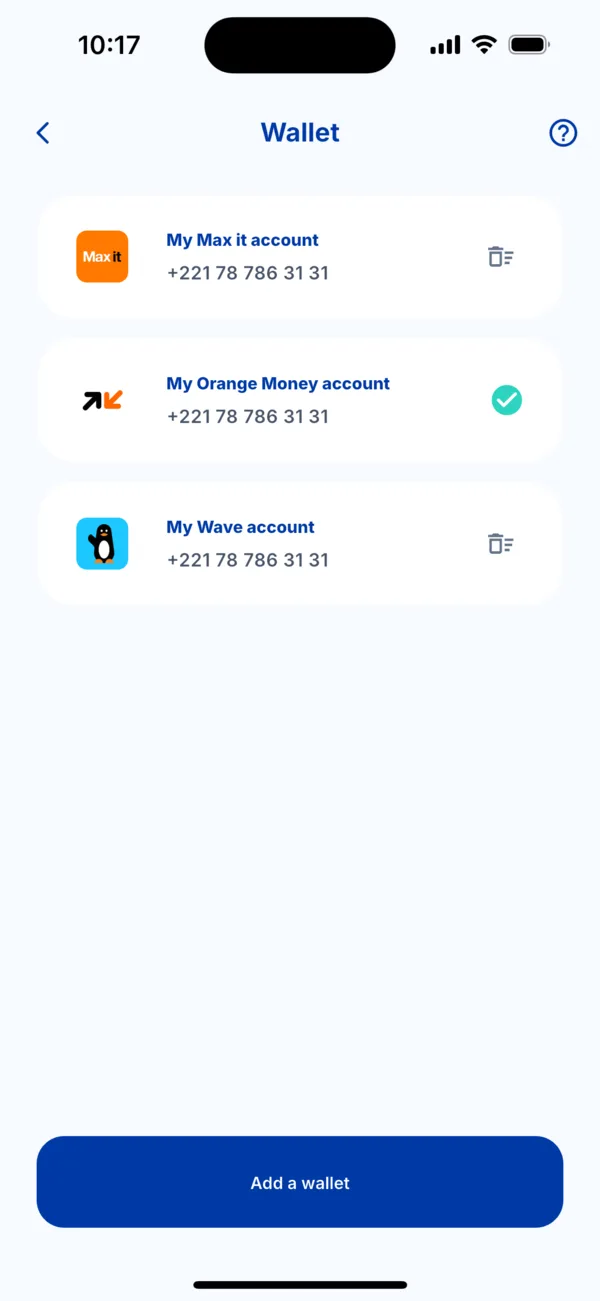 The Wallet with three accounts
Change the default method
Tap another account in the list: Kodo asks whether you want to use it by default for your next payments. The tick shows the default method.
Remove a payment method
Tap the bin icon at the right of the row, then confirm. The method is removed from Kodo. Your Wave or Orange Money account itself is not affected.
Do you live abroad?
In the Wallet, you add a bank card with « Add a bank card »: number, expiry date and security code, then a name such as « My main card ». Kodo then shows « Your bank card has been added » and you find it with its last 4 digits. To remove it, tap the bin icon.
If it doesn't work
- « The card could not be saved »: check the card details. See « My payment is declined ».
- The number is not accepted: it must be that of a Wave, Orange Money or Max it account in Senegal.