Depending on where you live
- You live in Senegal: pay with Wave, Orange Money or Max it. You approve the payment in the app concerned, then come back to Kodo.
- You live abroad: pay with a bank card (Visa or Mastercard), or with Apple Pay (iPhone) or Google Pay (Android) when your phone allows it. They appear at the top of the list.
See and manage your payment methods
-
Open the Account tab, then tap Wallet.
-
Read the list. Each method shows its name and the number linked to it. The tick shows the method used by default.
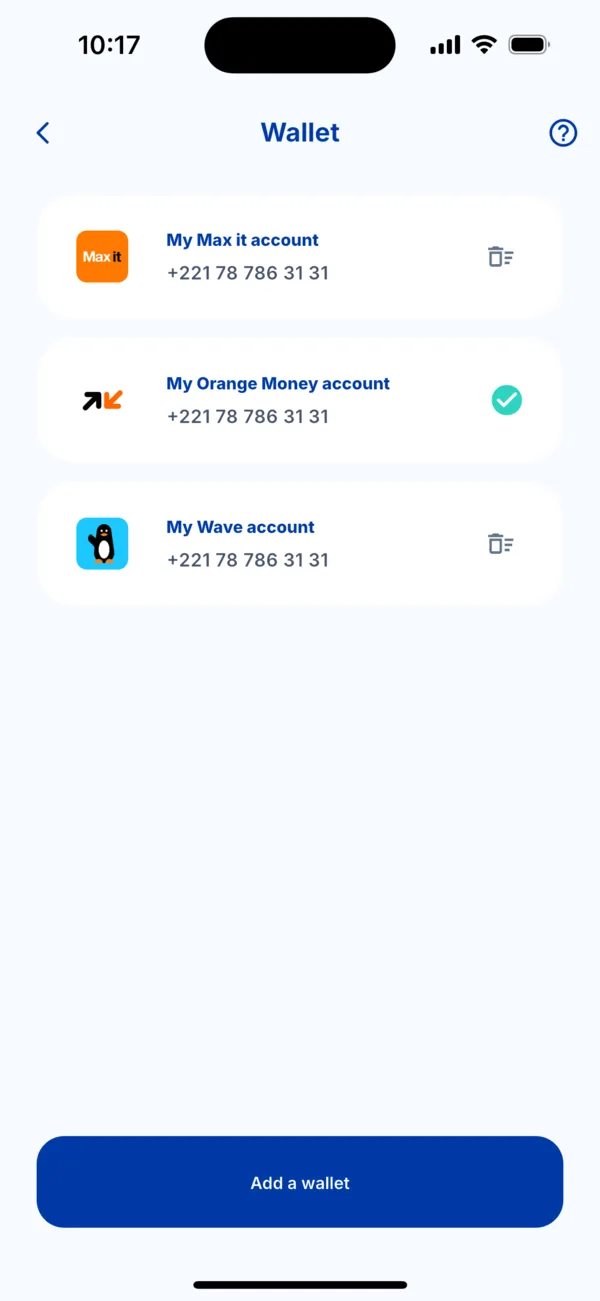 The Wallet screen with three payment methods
 -
Add one with the « Add a wallet » button.
-
Remove one with the bin icon at the right of the row. Kodo asks you to confirm.
Choose when paying
On the « How do you want to pay? » screen, tap the method you want. If you have none, tap « Add a wallet ».
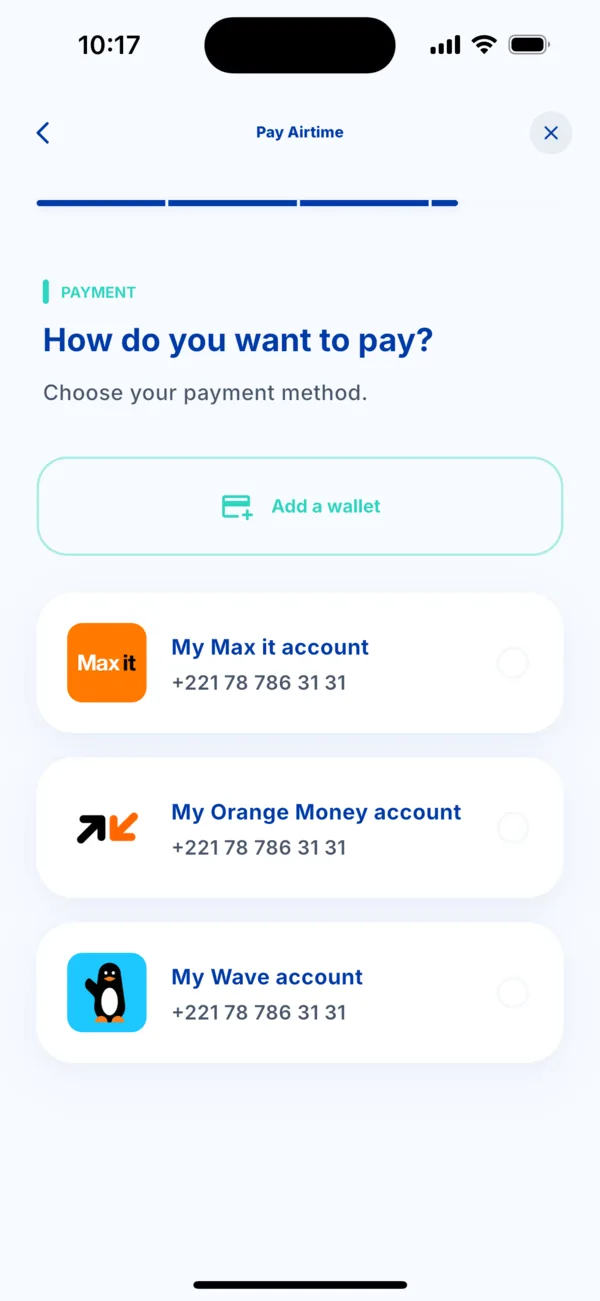 The « How do you want to pay? » screen
If it doesn't work
- Your method is not shown: check that the country of your account matches your situation (Senegal: mobile money; abroad: card).
- The payment is declined: see « My payment is declined ».