Where to find the details
On your Sen'Eau bill, at the very bottom, a tear-off stub shows:
- the contract reference;
- the bill number;
- the amount to pay.
Steps
-
On the Home screen, tap « Sen'Eau », then « Pay ».
-
Choose how to give the bill: « Scan the bill », a contract you already used, or « Manual entry ».
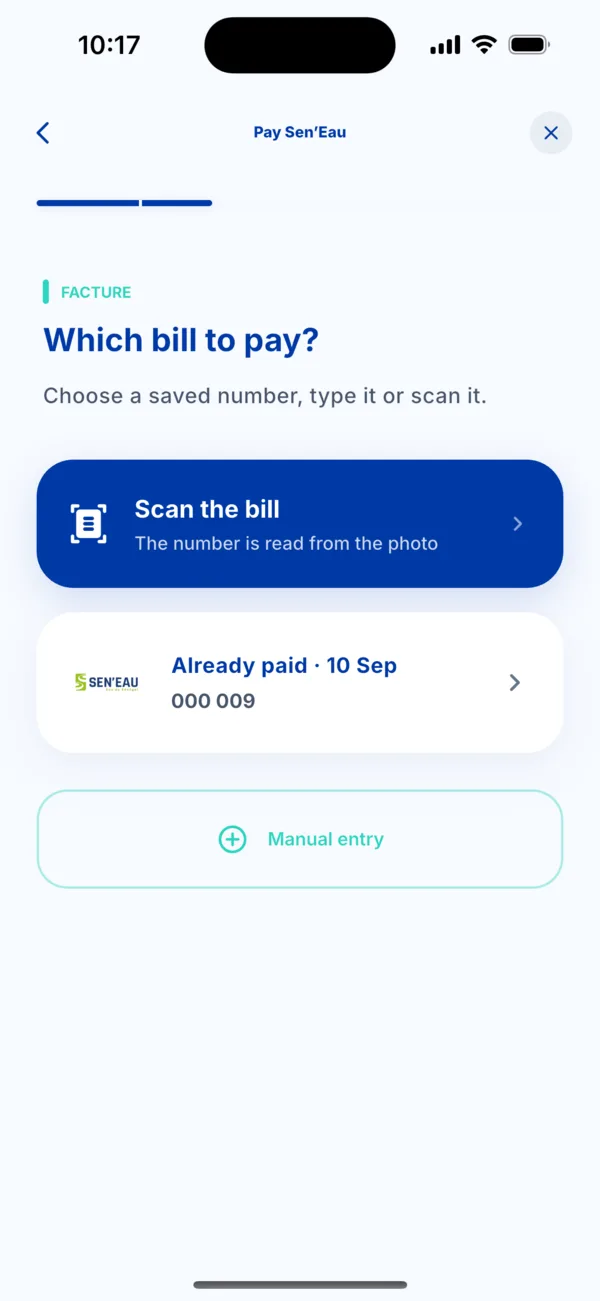 Choose the Sen'Eau bill
 -
Enter the three details: contract reference, bill number and amount in FCFA. Tap Confirm.
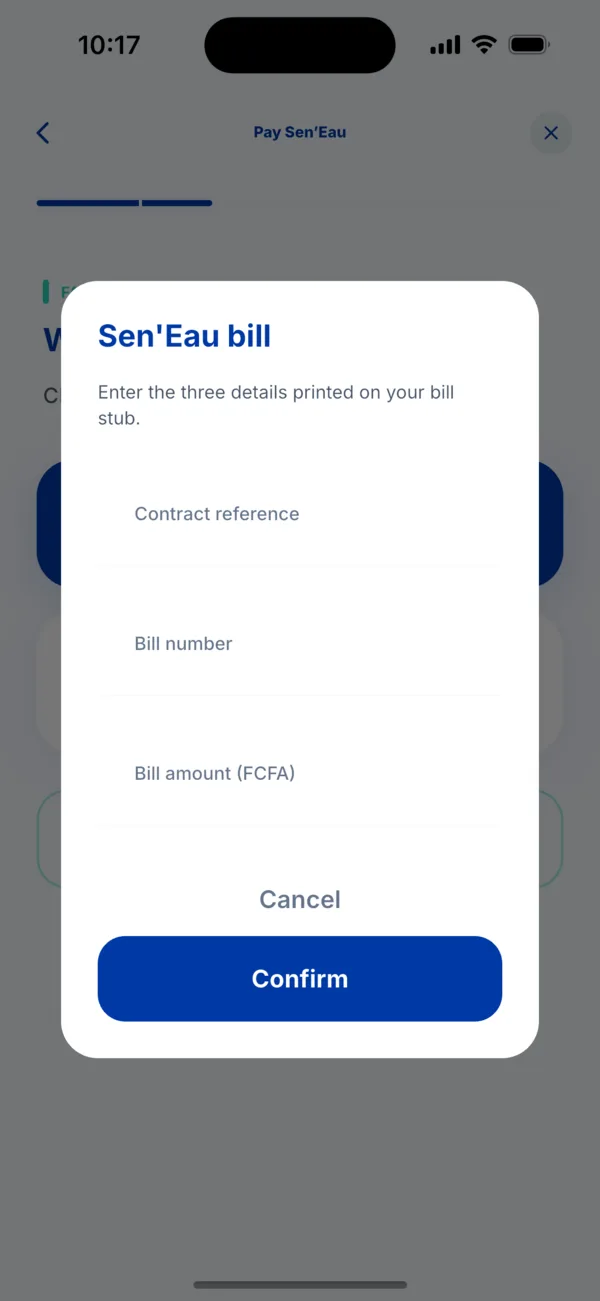 The three details from the stub
 -
Check the details shown before continuing.
-
Choose how to pay, check the summary, then tap Pay. Approve in your payment app.
-
Find your receipt in Activity. It works as proof of payment.
If it doesn't work
- « This contract cannot be found »: check the contract reference, digit by digit.
- The scan cannot read the stub: move closer, avoid reflections, or tap « Manual entry ».
- You paid but the bill is not settled: see « I was charged but didn't receive my service ».