Steps
-
Open the Activity tab and tap the payment concerned.
-
Tap the Share icon, to the right of the « Make this payment again » button.
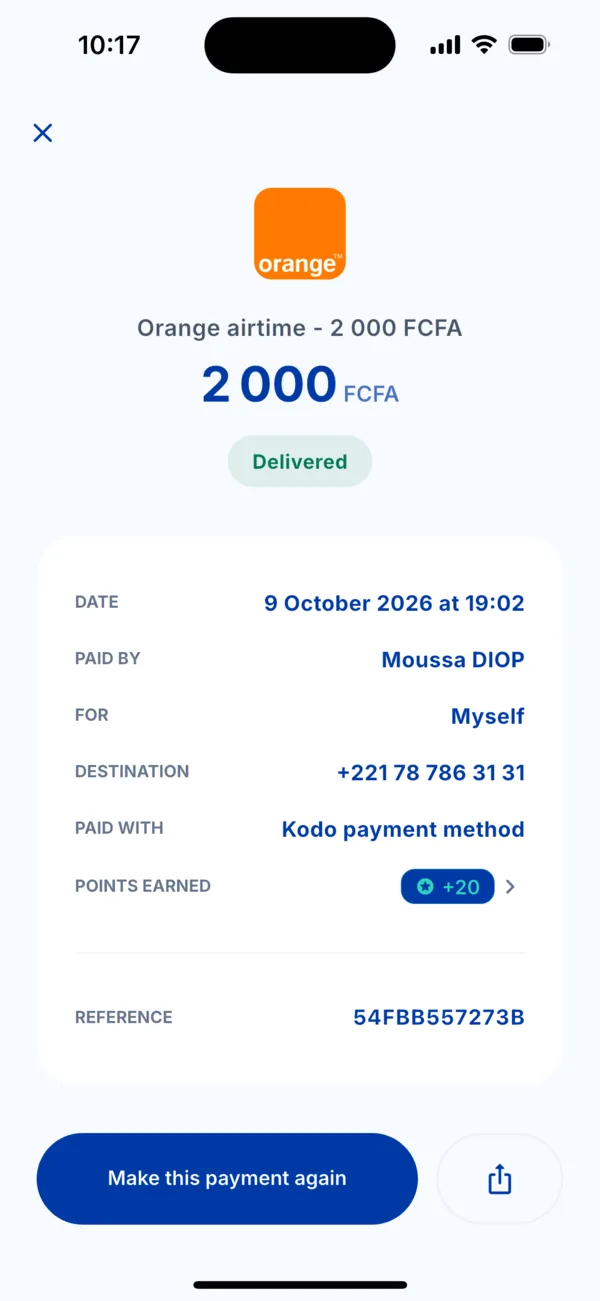 The Share button in the details of a payment
 -
Wait a moment. Kodo prepares the PDF receipt, titled « Kodo receipt » followed by the service name.
-
Choose what to do with it in your phone's share sheet: send it by WhatsApp, save it to your files, print it…
What the receipt is for
It proves your payment: date, amount, service, number concerned and reference. You can show it to a loved one, a supplier or our team.
If it doesn't work
- « The receipt could not be shared »: check your connection and try again.
- You cannot find the payment: see « Where do I find my payments? ».