Internet or Bundles?
- Internet: data only, for Orange, Yas, Promobile and Expresso.
- Bundles: calls, texts and data in one offer, for Orange, Yas and Promobile.
The steps are the same. The offers shown depend on the operator of the number.
Steps
-
On the Home screen, tap « Internet » or « Bundles ».
-
Tap « Pay » for your own line. For a loved one's line, tap « Offer ».
-
Choose the number: a saved number, another number, or a scanned number.
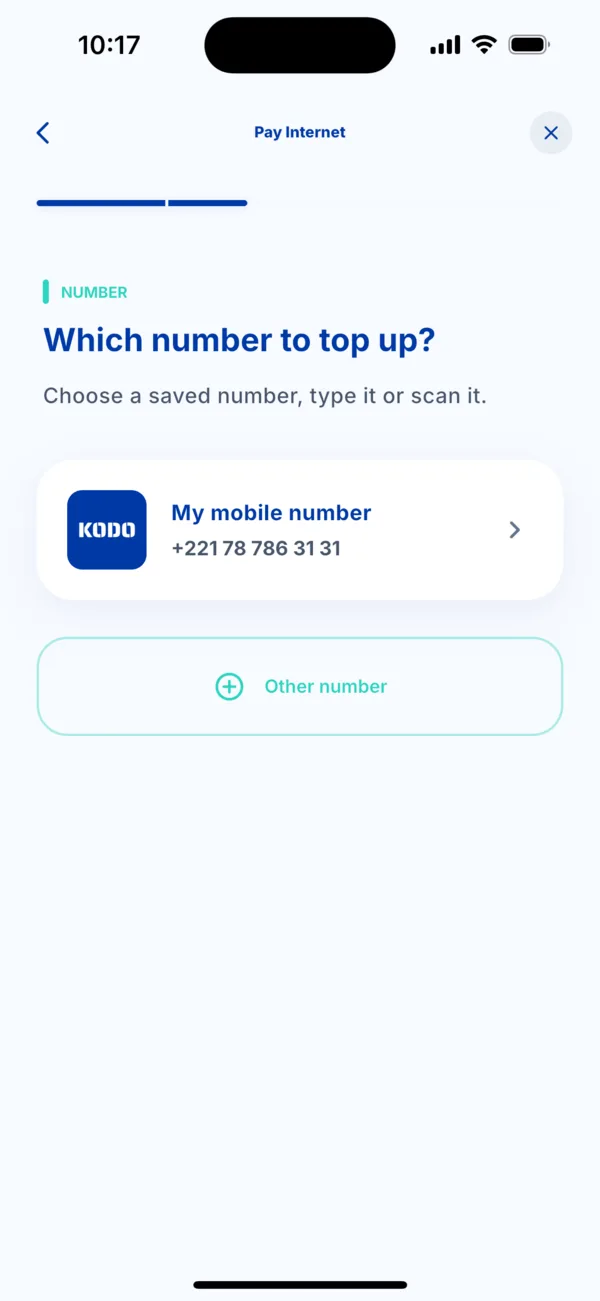 Choose the number for the Internet offer
 -
Choose the offer. Each card shows the volume, the validity, the price and the points you earn. The search bar helps you find it.
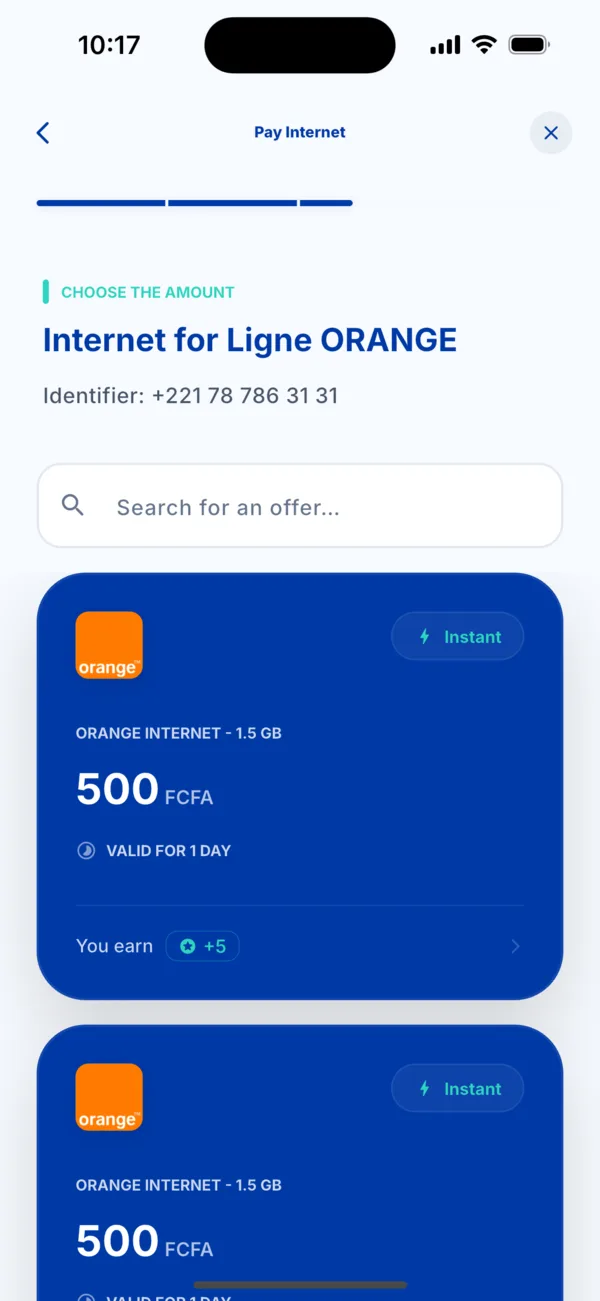 The Internet offers available
 -
Choose how to pay: Wave, Orange Money or Max it.
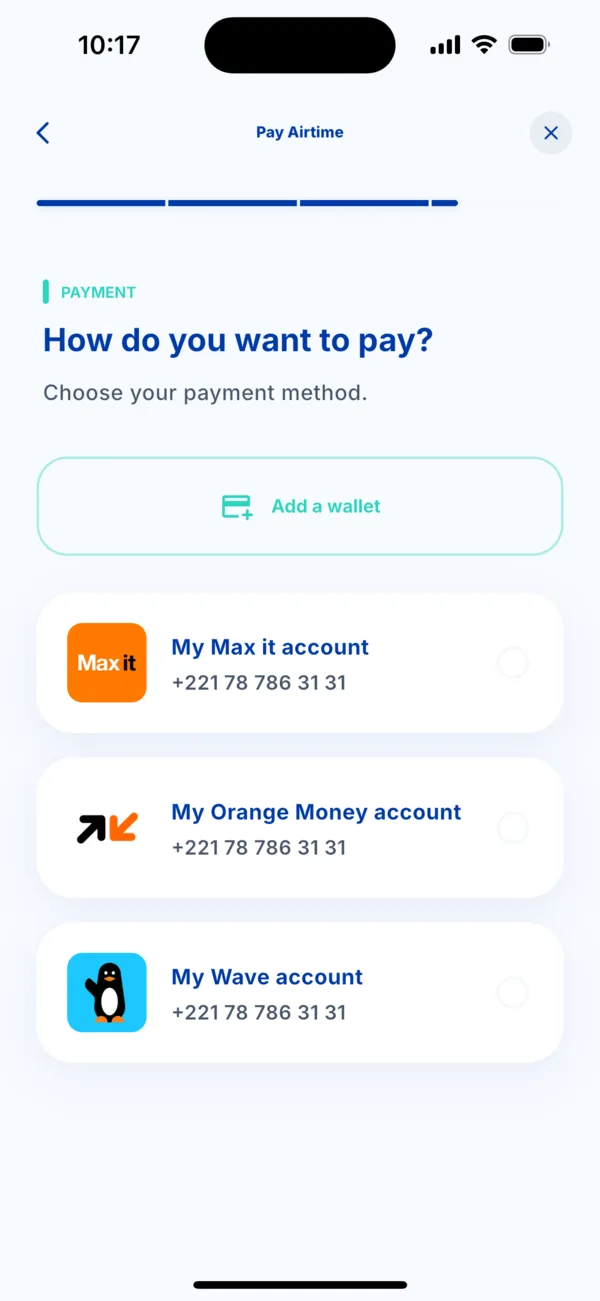 Choose the payment method
 -
Check the summary, then tap « Pay ». Approve in your payment app: the offer is activated on the line within seconds.
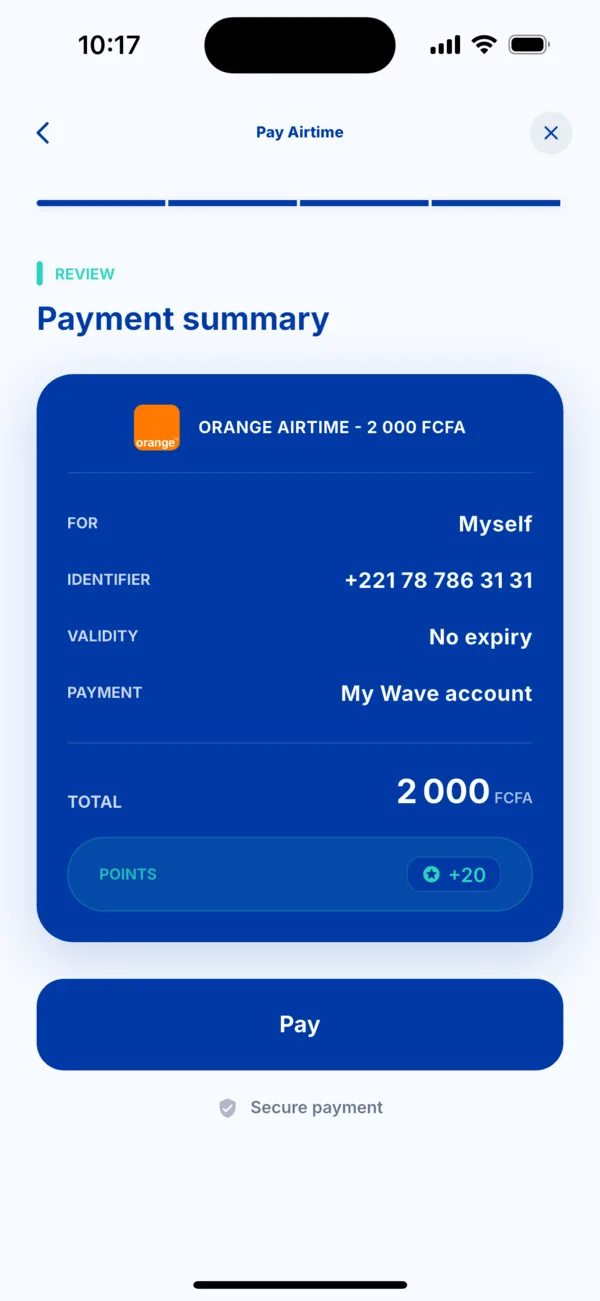 The summary before paying
If it doesn't work
- The offer you want is not shown: the list depends on the operator of the number and changes from time to time. Try the other service (Internet or Bundles).
- The offer was not activated: open the transaction in Activity. See « I was charged but didn't receive my service ».