Steps
-
On the Home screen, tap « Airtime ».
-
Tap « Pay » to top up your own line. To top up a loved one's line, tap « Offer ».
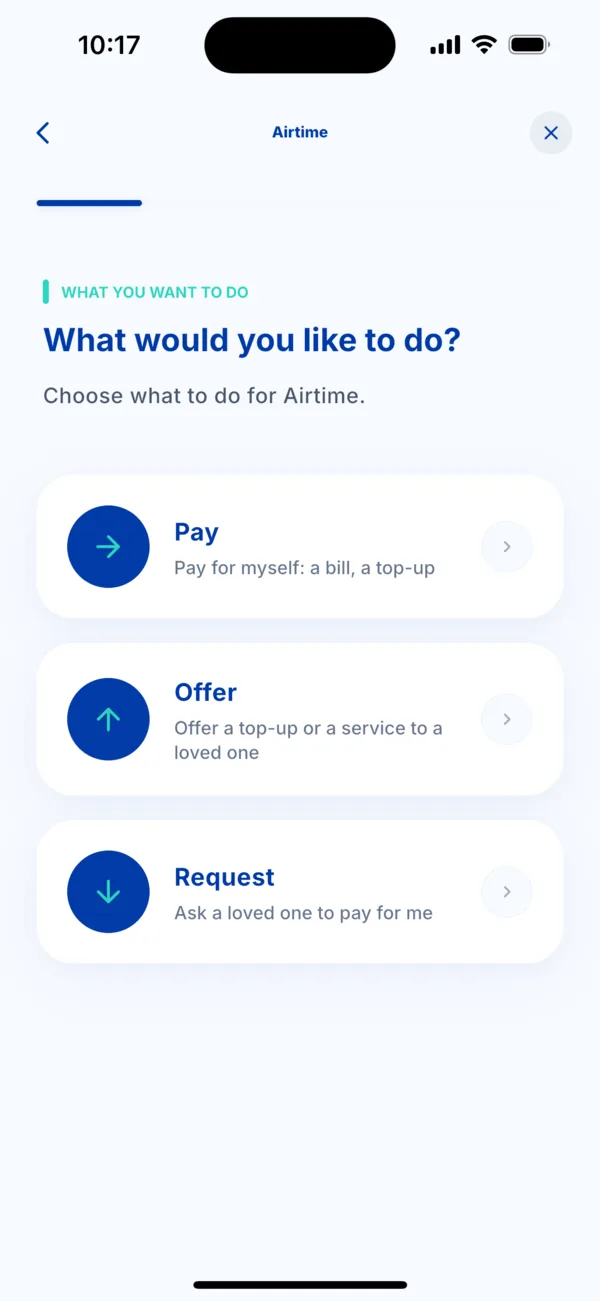 Choose Pay, Offer or Request
-
Choose the number to top up: a saved number, another number that you type, or a scanned number. Kodo recognises the operator by itself.
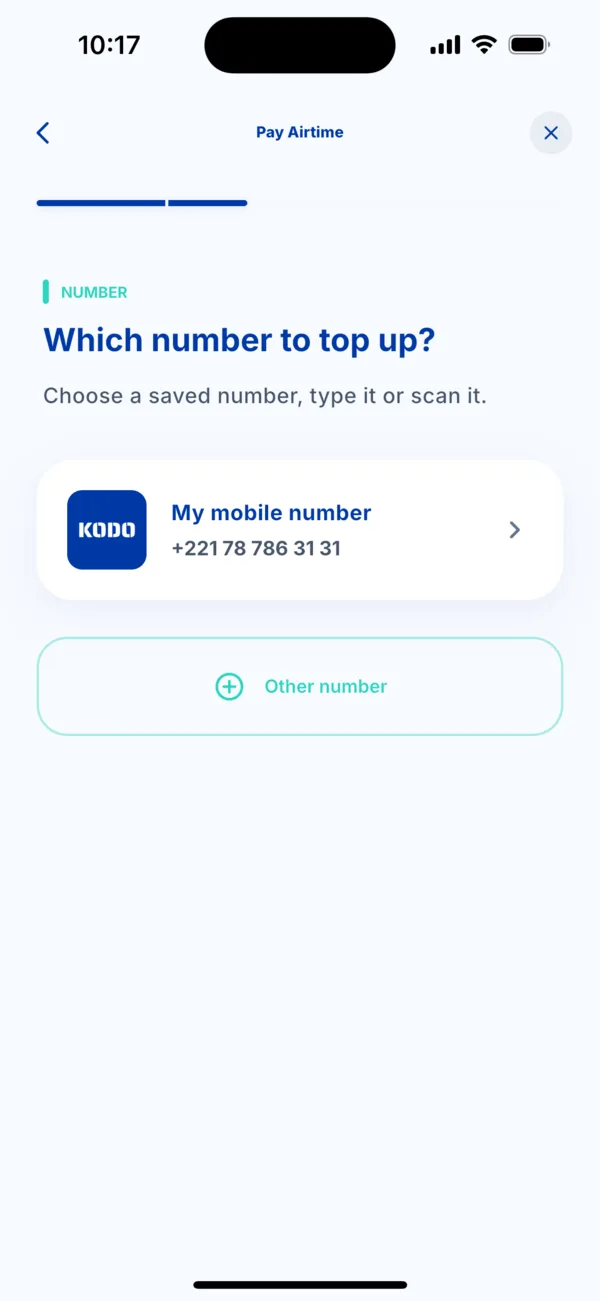 Choose the number to top up
-
Choose the amount. Each offer shows the amount, the operator and the points you earn. You can look for an offer with the search bar.
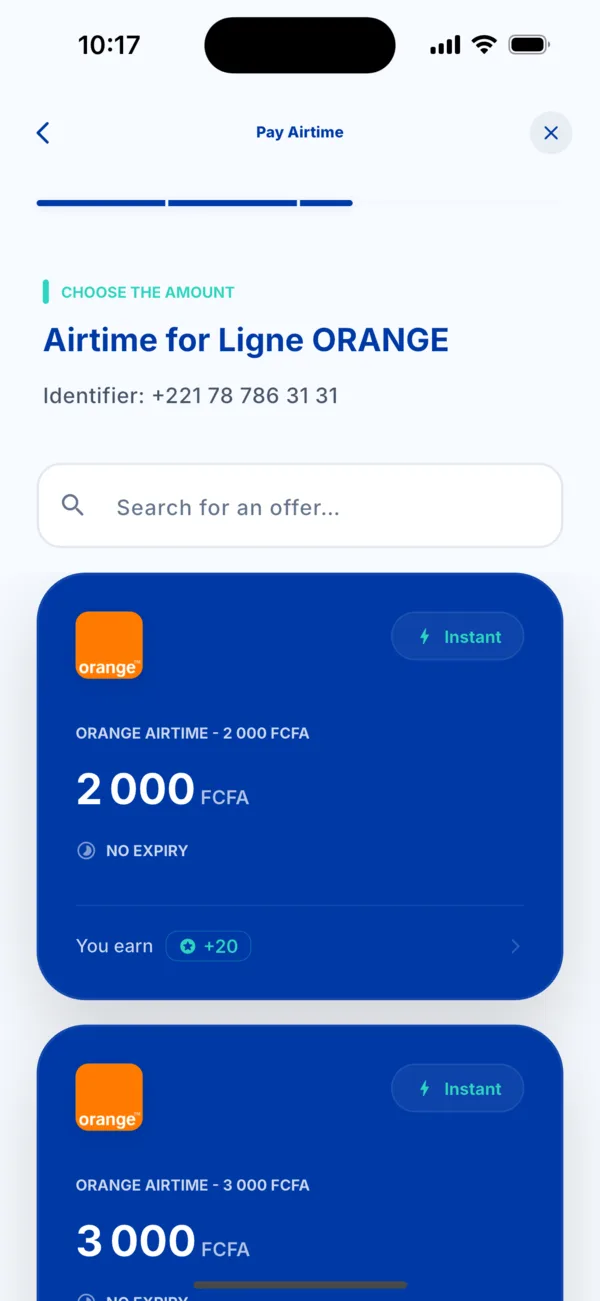 Choose an airtime amount
-
Choose how to pay: Wave, Orange Money or Max it.
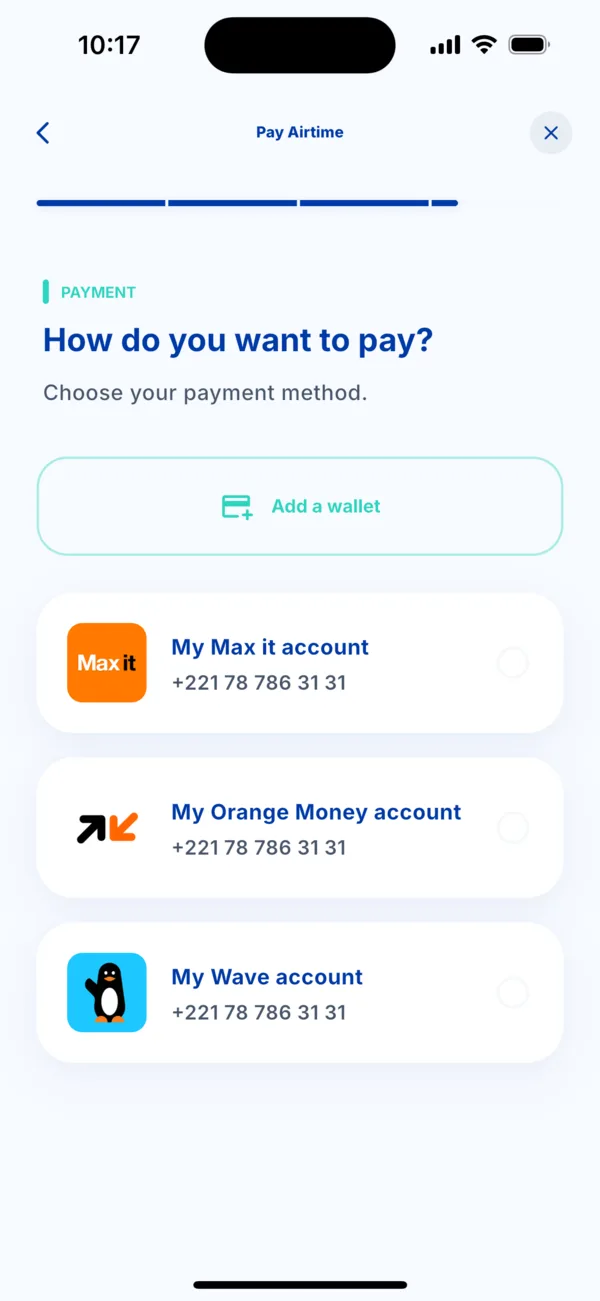 Choose the payment method
-
Check the summary, then tap « Pay ». Approve in your payment app and come back to Kodo: the credit arrives within seconds.
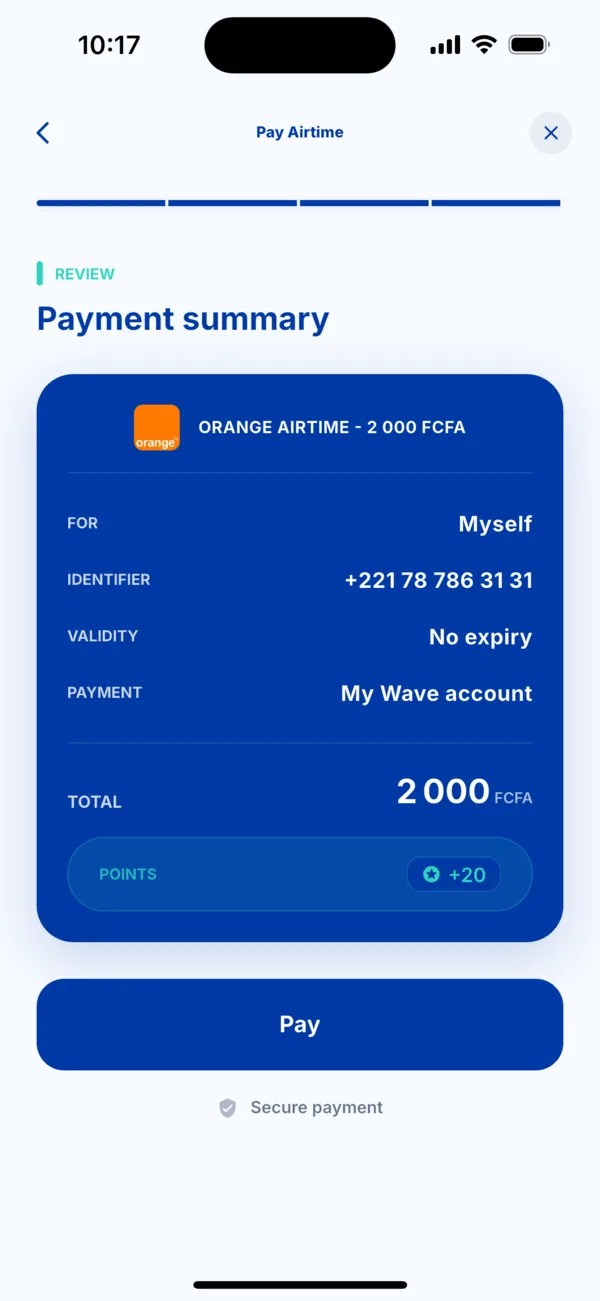 The summary before paying
If it doesn't work
- « This number is not recognised by the operator »: check each digit of the number.
- The credit has not arrived: open the transaction in Activity and read its status. See « I was charged but didn't receive my service ».
- You want data, not credit: see « Buy an internet bundle or a pass ».