Steps
-
Open the Activity tab. At the top you see your total spending and the points earned. Below, your payments are grouped by day.
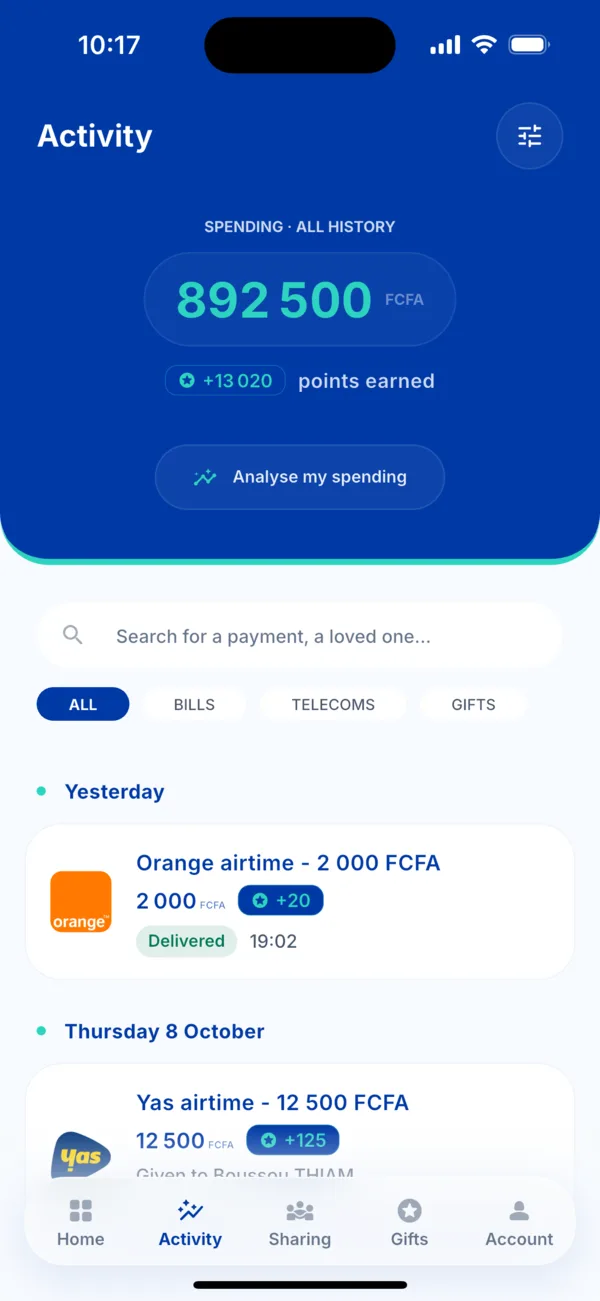 The Activity tab
 -
Find a payment. Use the search bar (a service, a loved one), the filters All, Bills, Telecoms, Gifts, or the icon at the top right to choose a period.
-
Tap the payment to open its details.
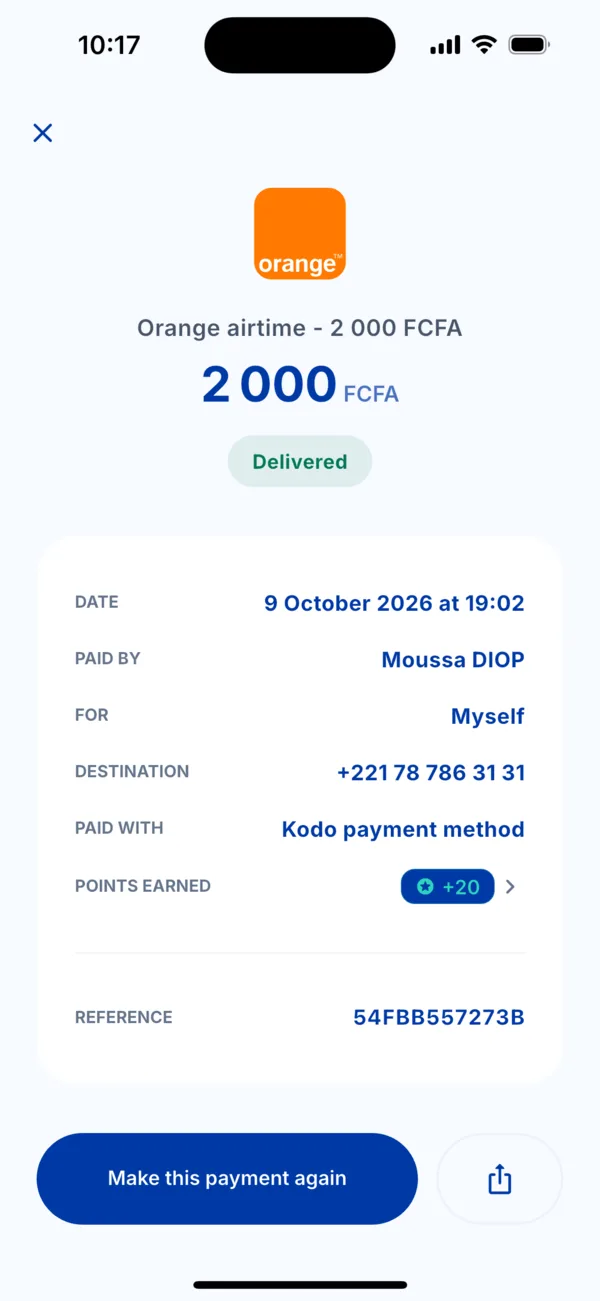 The details of a payment
 -
Read the details: the amount, the status, the date, who paid, for whom, the number concerned, the payment method, the points earned and the payment reference.
What you can do from the details
- Make this payment again in one tap.
- Share the receipt with the icon on the right.
- Be reminded every month of a regular payment.
- Write to support with « A problem with this transaction? »: the reference is sent with your message.
If it doesn't work
- You cannot see a payment: pull the screen down to refresh, and check the filter and period selected.
- The payment happened but doesn't appear: write to us with the date, the amount and the payment method.