Where to see the status
In the Activity tab, each payment has a status badge. It also appears under the amount in the payment details.
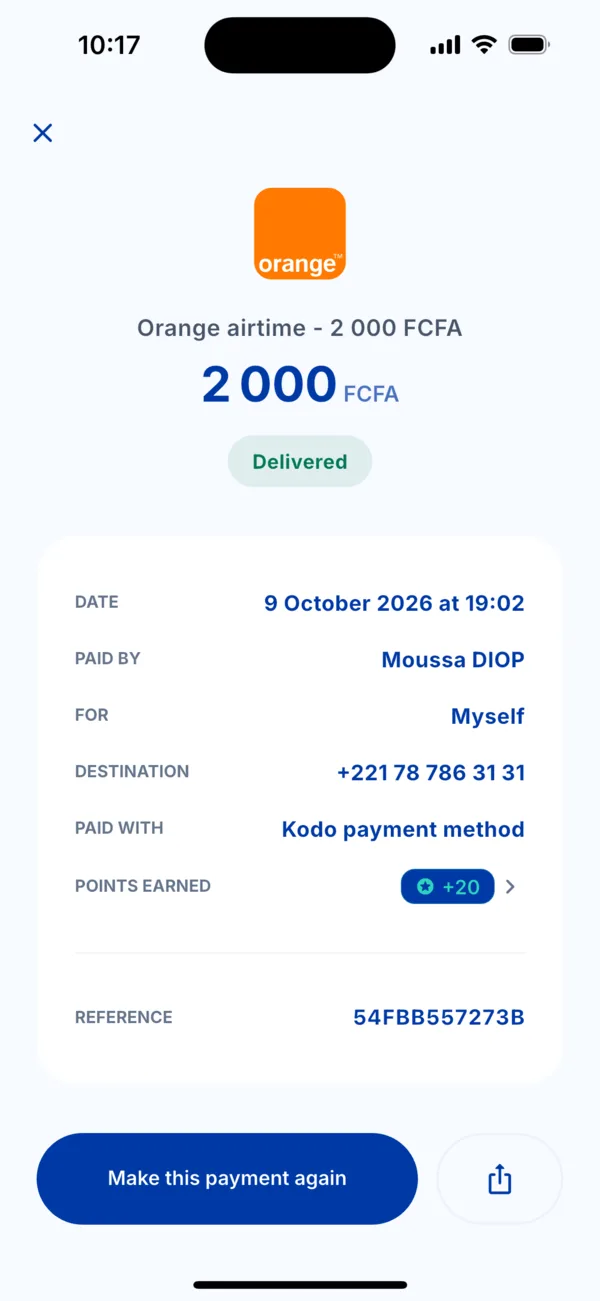 The « Delivered » status in the details of a payment
The statuses
| Status | What it means | What to do |
|---|---|---|
| Delivered | The service has arrived: credit added, code received, bill settled. | Nothing. You earn your points. |
| In progress | Your payment is received and the service is on its way at the operator. | Wait a few moments. You get a notification on delivery. |
| Pending | Kodo is still waiting for a confirmation. | Wait. If it takes long, see « My payment stays in progress ». |
| Failed | The service could not be delivered. | Do not pay a second time: the team is on it. See « I was charged but didn't receive my service ». |
| Cancelled | The payment was not completed. | Start again if needed. |
| Expired | The payment request was not approved in time. | Start again. |
| Refunded | After reviewing your request, the team cancelled the transaction. | Nothing to do. This status is never automatic. |
If the status worries you
Open the payment and tap « A problem with this transaction? »: the chat opens with the reference already sent.