Steps
-
Open the Account tab, then « Personal information ».
-
Edit what you want: photo, first name, last name, date of birth, gender.
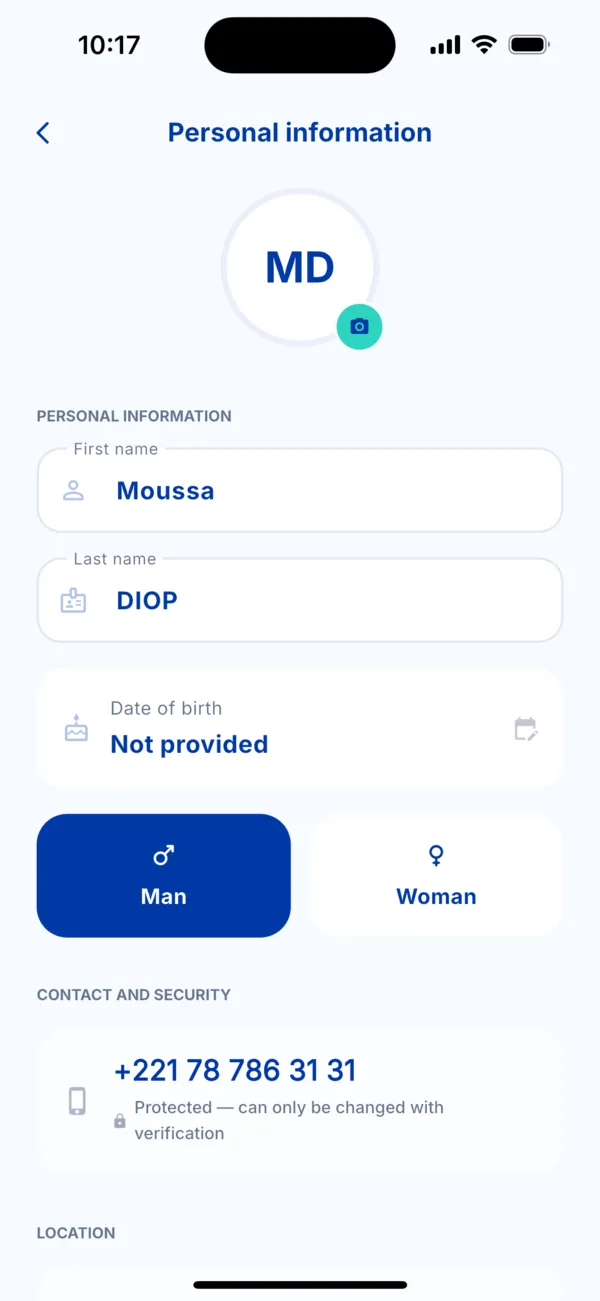 Personal information
 -
Scroll down for the location: the city and full address can be edited.
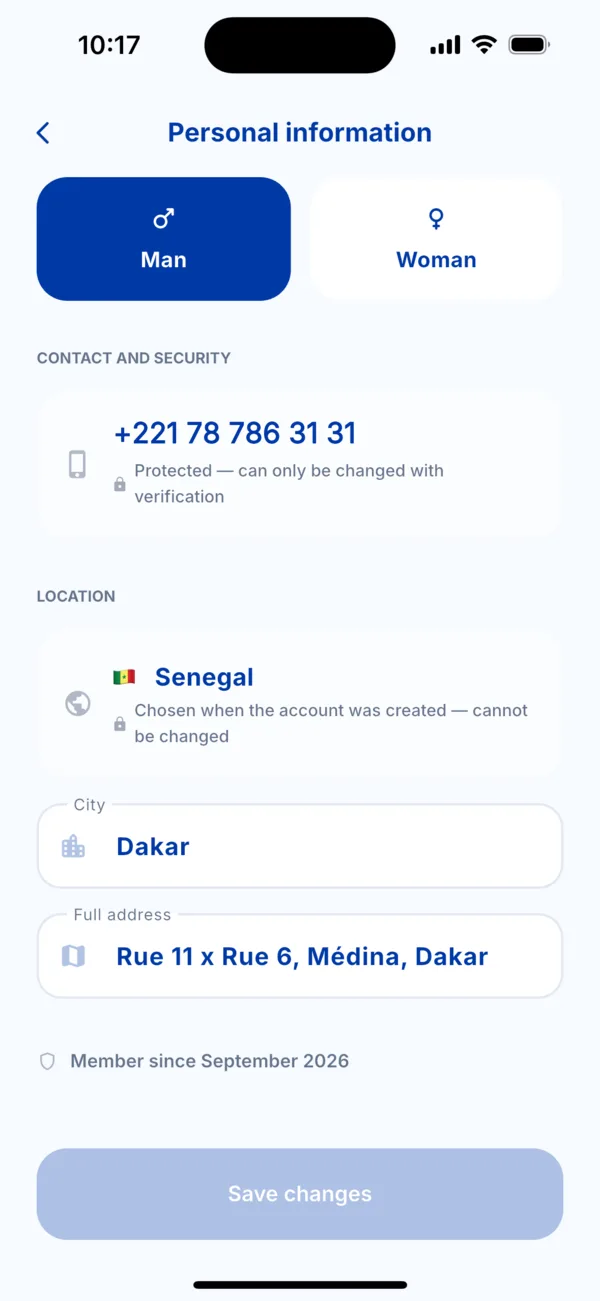 City and address
 -
Tap « Save changes ». The button lights up as soon as you change something.
What cannot be edited here
- The phone number: « Protected — can only be changed with verification ». See « Change my phone number ».
- The country: « Chosen when the account was created — cannot be changed ». To change it, contact support.