Before you start
The new number must be from the country of your account and have WhatsApp. You keep your points balance, your loved ones and your history.
Steps
-
Open the Account tab, then « Phone number ».
-
Enter the new number in « New number ». The screen reminds you of your current number.
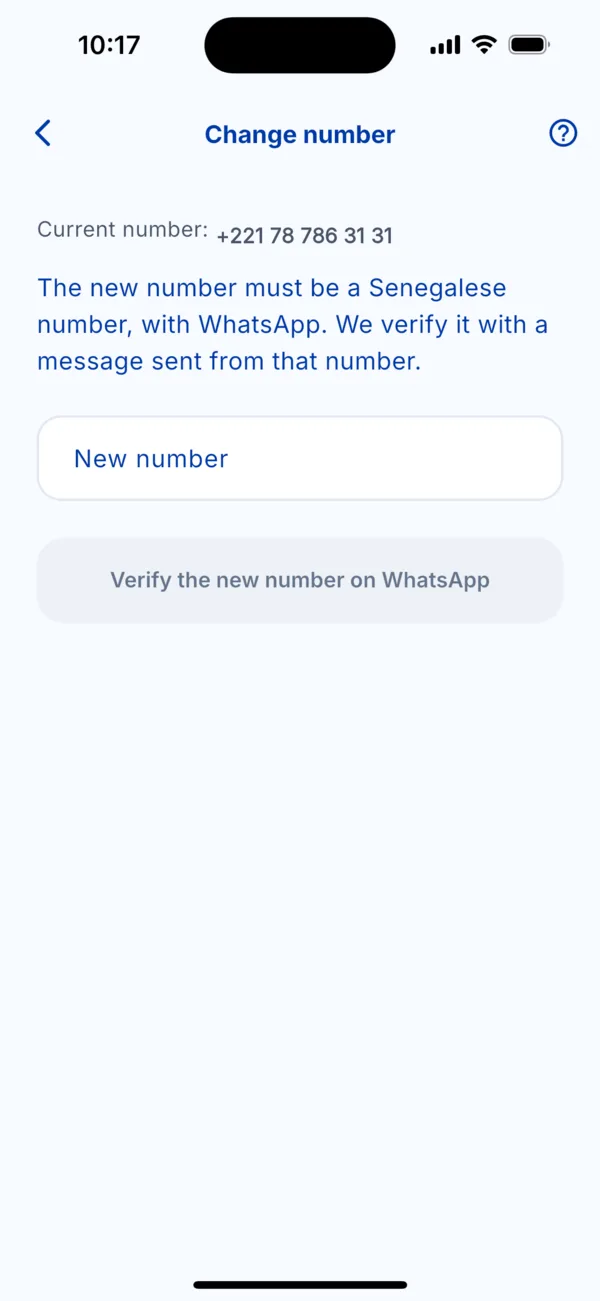 The « Change number » screen
 -
Tap « Verify the new number on WhatsApp ». WhatsApp opens with a prepared message.
-
Send it from the new number, without changing it, then come back to Kodo.
-
Wait for the confirmation: « Your number is now… ».
If it doesn't work
- « This number is already linked to another Kodo account »: this number already has an account. Choose another one, or write to us.
- The number is not accepted: it must be from the country where you live, the same as your account. To change country, contact support: payment methods and currency depend on it.
- You no longer have the old number: see « I changed phones or lost my SIM card ».