What it is for
Do you often pay the same Woyofal meter, the same contract or the same number? Save them once: you find them at each payment, without typing them again.
Steps
-
Open the Account tab, then « Service identifiers ». Your mobile number is already there.
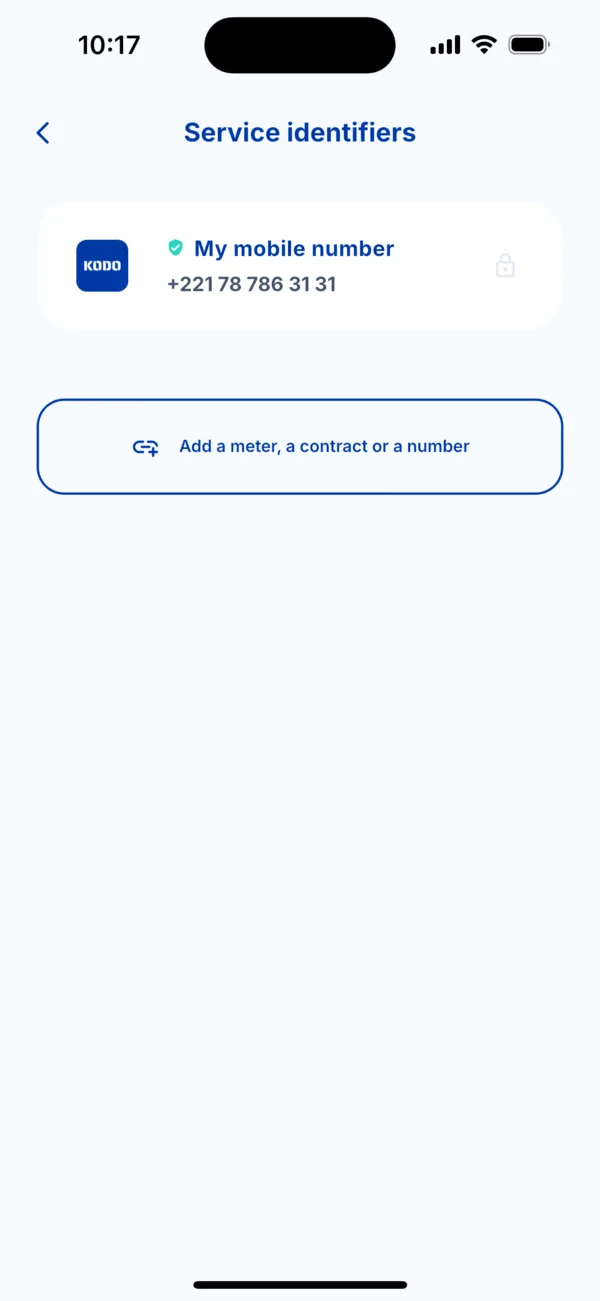 Service identifiers
 -
Tap « Add a meter, a contract or a number ».
-
Choose the type: Woyofal meter, Senelec contract, Sen'Eau contract or Phone number.
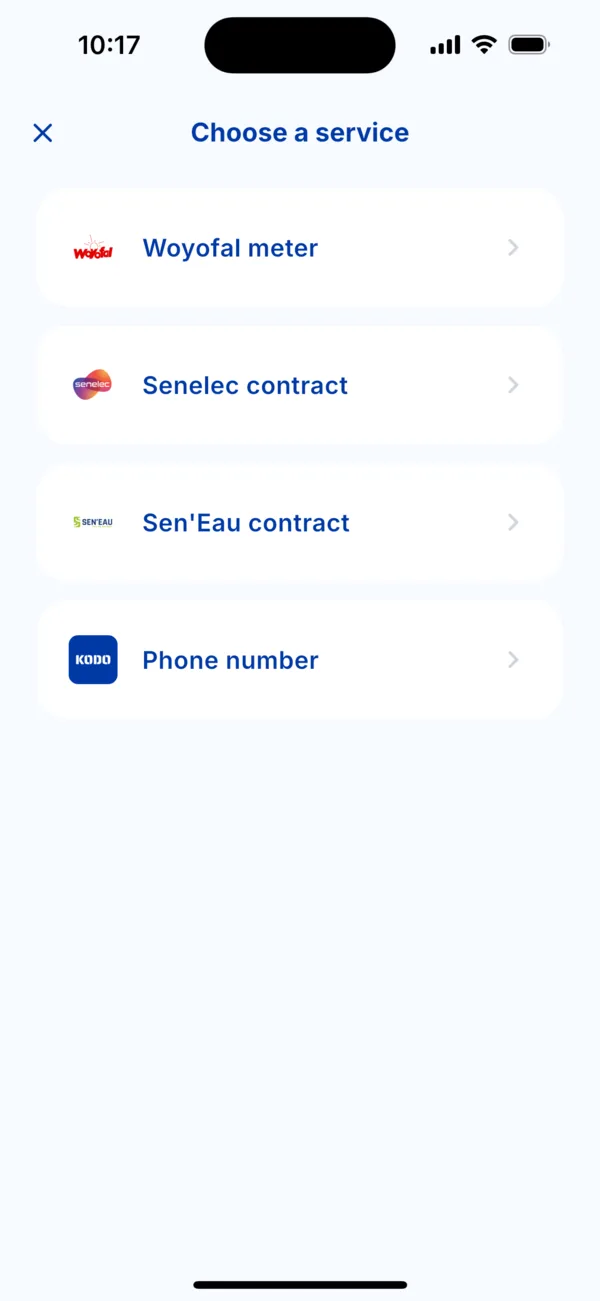 Choose a service
 -
Enter the identifier and give it a recognisable name (for example « Home » or « Mum »), then save.
Find an identifier when paying
At the start of a payment, your saved identifiers appear in the list: tap one. Numbers already paid also show with the mention « Already paid » and the date.
Delete an identifier
In Service identifiers, delete it: Kodo asks « Delete this service? » and you confirm. It disappears from your shortcuts, without touching your past payments.