Steps
-
Open the Account tab and scroll to « Language ».
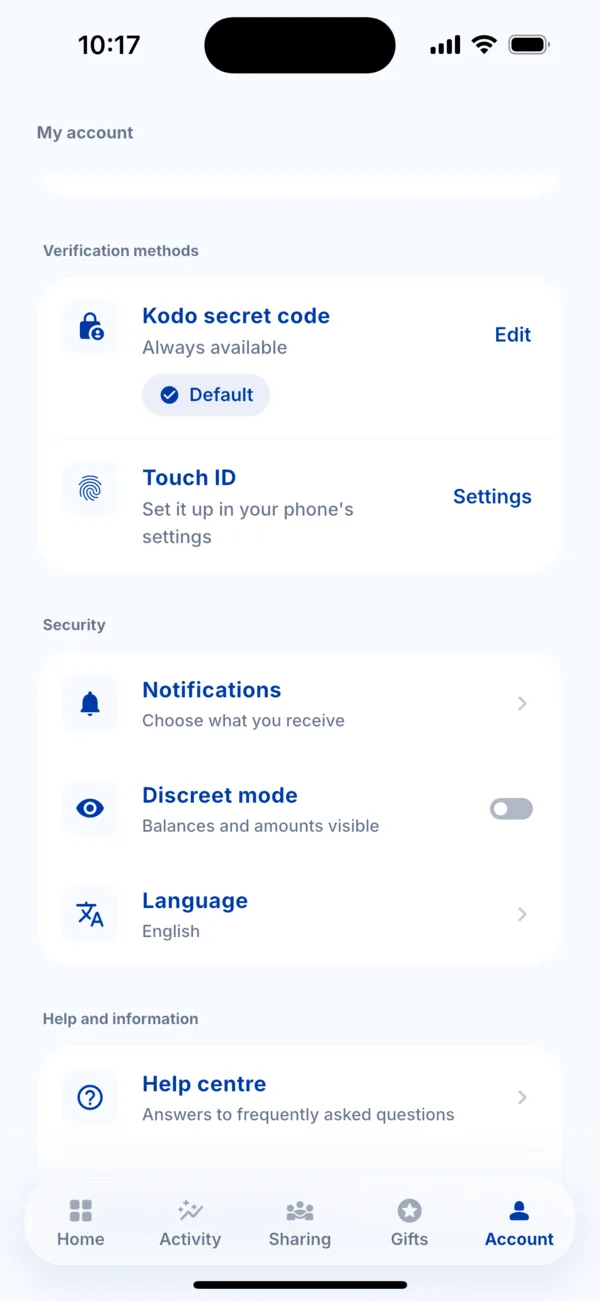 The Language row in the Account tab
 -
Tap « Language », then choose Français or English in the « App language » sheet. The tick shows the current language.
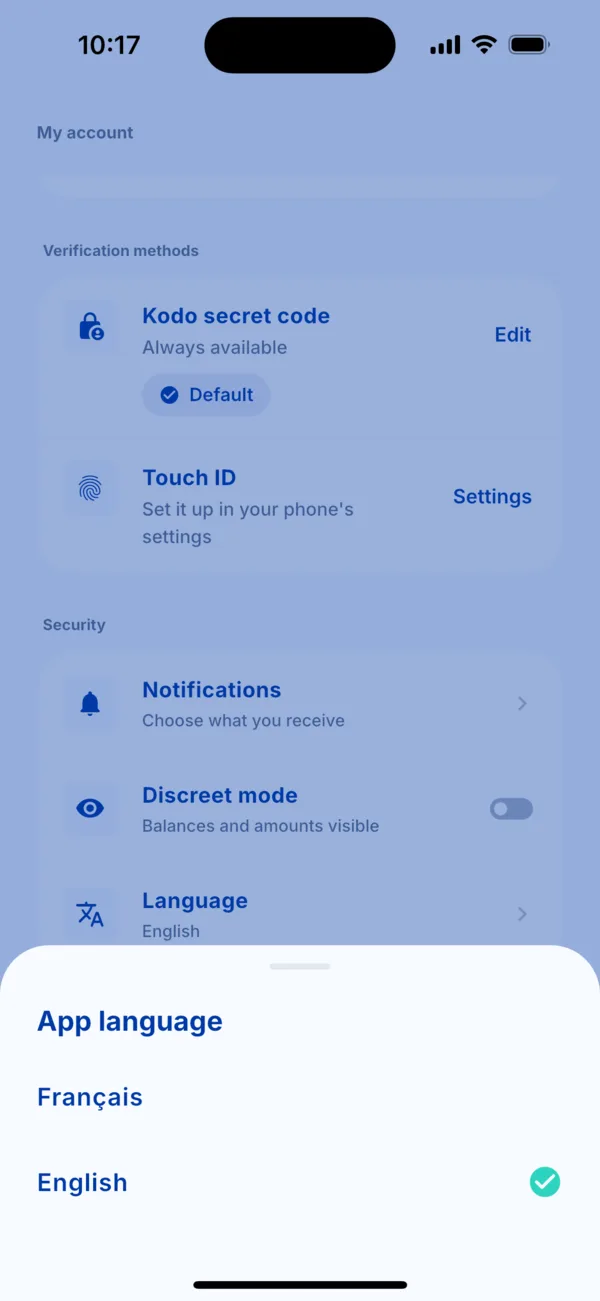 Choose the language
 -
That's all: the app switches to the chosen language, help centre included.
Good to know
- The change is immediate and does not touch your data.
- The kodo.sn website has its own FR / EN selector at the top of the page.