Why WhatsApp?
Kodo does not use a password. To prove the number is yours, you send a WhatsApp message yourself, from that number. Only the person who holds the phone and the WhatsApp of that number can do it: no code is sent to you, so there is nothing to intercept.
Steps
-
Enter your number, the one from the country where you live.
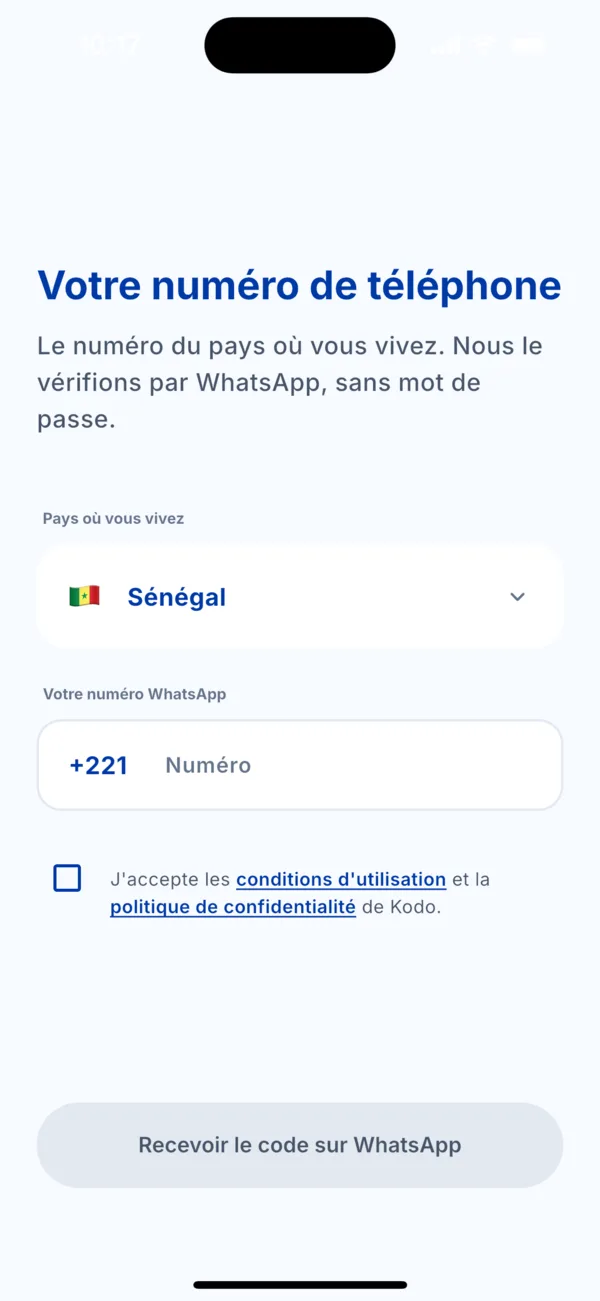 « Your phone number » screen
 -
Tap « Get the code on WhatsApp ». WhatsApp opens with a message already written, containing a code.
-
Send the message without changing it, then come back to Kodo.
-
Wait a few seconds. Sign-in happens automatically as soon as the message is received.
-
Enter your 4-digit PIN, or use Face ID or your fingerprint if you turned them on.
The code in the message works only once and expires after a few minutes.
If it doesn't work
Nothing happens, or an error message appears? See the article « The WhatsApp sign-in message doesn't work ».